Home / App Templates / Unity / Templates / Puzzle
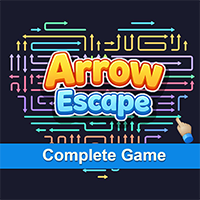
Arrow Escape - Complete Game TemplateArrow Escape - Complete Game Template
Arrow Escape is a production-ready arrow puzzle game template built with Unity, featuring Arrow, Pencil, and Snake themes. Average rating of 5.0 based on 4 votes
Recently Updated
Average rating of 5.0 based on 4 votes
Recently Updated
Home / App Templates / Unity / Templates / Puzzle
Arrow Escape - Complete Game Template
Arrow Escape is a production-ready arrow puzzle game template built with Unity, featuring Arrow, ...
Average rating of 5.0
26 Support questions or comments
Please login or create an account to post a question or comment.
-
 2 months agoSohaPan Purchasedhey i wanted to ask how can we change the backgrounds .. my game has pencils so i want to keep a paper texture in the background ... and you have a purple and white theme i want to keep a yellow paper and white paper theme so how can i change that
-
 2 months agoTheVayuputraDeveloper AuthorRight now we are using the Camera Color as the background.
So if you want a paper texture background, you need to add a Background Sprite/Image behind the gameplay area.
You can create a yellow paper texture and white paper texture image, then:
Add a Sprite in the scene as Background
Place it behind all gameplay objects
Scale it to fit the screen
Change the Camera Background Color if needed
-
2 months agoHello bro. I want to purchase this code but I have some questions like-
- Can I place banner, interstitial and Reward ads?
- Can I hide dev section and only stay change theme option?
Kindly answer. Thank you so much. -
2 months agoTheVayuputraDeveloper Authoryes you can!
-
3 months agoSohaPan Purchasedthe latest version does not load and it shows an error that in grid manager the cell prefab is missing...when i manually find the grid prefab from the assets i am unable to add it in the cell prefab
-
3 months agoTheVayuputraDeveloper AuthorPlease make sure you are using the same Unity version as the project. Open the update in a separate project (do not overwrite the original).
The “Cell Prefab missing” error usually happens due to version mismatch or broken prefab references. Ensure there are no console errors and that the correct Cell script is attached to the prefab. If needed, recreate the prefab and assign it again in the Grid Manager. -
3 months agoSohaPan Purchasedokay it is working thanks for the help ... also the finger and arrows are pink in color how do i fix that
-
3 months agoTheVayuputraDeveloper AuthorPink color means the material shader is broken or unsupported.
Select the object → go to its material → change shader to UI/Default (for UI) or Unlit/Texture.
-
4 months agoDoes the template include levels and has it been optimized to avoid lag on low-end devices?
-
4 months agoTheVayuputraDeveloper AuthorYes, the template includes 600+ pre-built levels and also supports easy level creation and expansion. It has been optimized for performance, ensuring smooth gameplay with minimal lag even on low-end devices.
-
 4 months agonice work!!
-
4 months agoSohaPan Purchasedhow can i replace the arrow sprites on the game...when i play the game i see the arrow manager but in the editor i cannot find the arrow manager
-
4 months agoTheVayuputraDeveloper AuthorYou can replace the arrow sprites from the Arrow prefab.
When you run the game, you may see the Arrow Manager in the hierarchy, but in the editor it is not directly visible because it is part of the Level Manager system. -
4 months agoSohaPan Purchasedi want to replace the arrows with pencils so i can change the head and tail but how to edit the body
-
4 months agoTheVayuputraDeveloper AuthorIt depends on your game design and graphic style.
Easy way:
Create a white seamless pencil texture for the body. Then use the LineRenderer to tint it with different colors, or use different material textures and change them in code based on the arrow color. This is the simplest approach and works well for most cases.
Hard way:
Generate the pencil body dynamically using a mesh at runtime. You can create a script similar to ArrowRender and build the mesh procedurally so the body stretches between the head and tail while keeping the correct proportions.
-
4 months agogood luck with sales!!
-
4 months agoTheVayuputraDeveloper AuthorThank you! I appreciate it 😊
-
4 months agoThis is nice template, I played web version and apk, so far it's best available template for arrow puzzle game. I purchased arrow game template from another author, which was average because the input was laggy due to physics usage for the arrow interaction & collision detection. I want to purchase this template, if you can confirm that this template is not using any kind of physics, I would love to buy this.
-
4 months agoTheVayuputraDeveloper AuthorYes, this template does not use any type of physics for the arrow interaction or collision detection.
All the mechanics are handled through custom logic and direct position checks, which keeps the input very responsive and smooth without the lag that often comes from physics-based systems.
So you shouldn’t experience the input delay issues that are common when physics is used for this type of gameplay.
If you have any other questions about the template, feel free to ask. 🙂
-
4 months agoThat's great, thanks much for your instant replay. I will buy this today EOD.
-
4 months agosinan60 Purchasedbanner ad var mı ??
-
4 months agoTheVayuputraDeveloper AuthorEvet, banner reklamlar var.😊
-
4 months agosinan60 Purchasedtürkçe dil var mı ? iyi çalışmalar.
-
4 months agoTheVayuputraDeveloper AuthorHayır, oyun şu anda yalnızca İngilizce olarak mevcut. İyi günler dilerim!



Information
| Category | App Templates / Unity / Templates / Puzzle |
| First release | 12 January 2026 |
| Last update | 12 May 2026 |
| Files included | .cs, .unityproj, .prefab |
| Tags | template, game, 2d, Puzzle, pack, complete game template, hyper casual game, puzzle game template, mobile puzzle game, casual puzzle, arrow puzzle |