


 Miscellaneous JavaScript Codes & Plugins
Explore miscellaneous JavaScript codes and plugins, from random JS utilities and effects to widgets, tracking helpers and UI tools. Download lightweight JavaScript snippets and micro plugins for animations, scrolling, popups, search, forms and analytics to enhance any website, landing page or web application quickly and efficiently for developers and marketers worldwide.


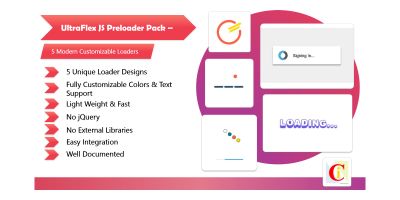
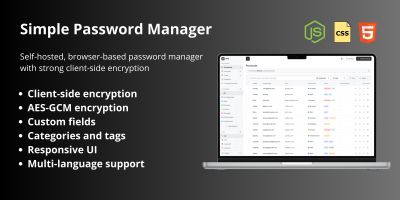



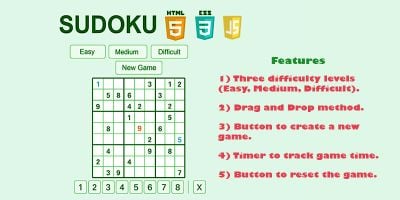

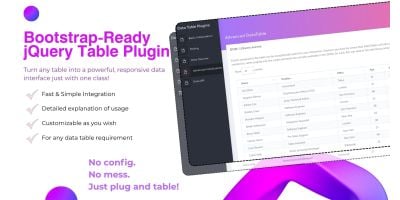




















Miscellaneous JavaScript Codes & Plugins for Every Project
The Miscellaneous JavaScript Codes & Plugins category on Codester is home to all the useful bits of JavaScript code that don’t fit neatly into sliders, forms or navigation. Here you’ll find random JavaScript utilities, small widgets, tracking helpers, UI tweaks, animation snippets, feature add-ons and other micro plugins that solve very specific problems in real projects.
If you want a quick overview of what other developers use most, head straight to the Top 20 Miscellaneous JavaScript Codes & Plugins page. This popular list surfaces best-selling JavaScript utility plugins, random JavaScript code snippets and unique widgets that already run in production websites, dashboards and SaaS apps, making it a great shortlist when you don’t know where to start.
In the main miscellaneous JavaScript category you’ll see a mix of tiny vanilla JavaScript plugins and classic jQuery-based snippets. Typical examples include scroll-based animations, copy-to-clipboard buttons, countdown timers, color pickers, cookies/helpers, notification widgets, search enhancements, code highlighters, small analytics helpers and other one-purpose JavaScript tools that are too small to get their own dedicated category but too useful to ignore.
Common types of miscellaneous JavaScript codes & plugins you can find here include:
- Small UI enhancements such as back-to-top buttons, sticky elements and hover effects.
- Animation snippets for scroll effects, typewriter text, number counters and reveals.
- Clipboard utilities, copy/share widgets and social media sharing helpers.
- Countdown timers, clocks, badges, labels and visual status indicators.
- Search, filter and highlighting helpers for long pages or documentation.
- Tracking helpers, event loggers and miscellaneous JavaScript utility code.
Because this category is “miscellaneous”, it pairs naturally with almost every other front-end resource on Codester. Small JavaScript widgets from this page often sit alongside core UI components from the JavaScript & jQuery plugins category and its Top 20 JavaScript & jQuery plugins . Navigation patterns from JavaScript & jQuery navigation code , sliders from JavaScript & jQuery sliders and forms from JavaScript & jQuery forms all benefit from small, focused utilities that add polish and behaviour.
Content-driven projects and dashboards often rely on WYSIWYG editors, charts, notifications and interaction details. For rich text and inline editing you can combine utilities from this category with editors in the JavaScript & jQuery WYSIWYG editors category, while extra visual tweaks such as loaders, spinners and subtle animations can come from the miscellaneous JavaScript section when you want something more unique.
Styling matters just as much as behaviour. Assets from CSS Templates & Code help you design the look of any widget you add: buttons, labels, notifications, badges, panels and overlays. With the right combination of CSS utilities and JavaScript micro plugins, you can keep your UI consistent while still adding interesting interactive details.
Behind the scenes, your miscellaneous JavaScript snippets will usually interact with data served by back-end code in the wider Scripts & Code marketplace . For example, a copy-to-clipboard widget, search suggester or event tracker from this category can work together with APIs and admin panels built with PHP scripts & PHP code , Django projects with source code or NodeJS projects with source code . For public-facing pages, you can integrate these utilities with WordPress themes and HTML templates to enhance landing pages, blogs and documentation sites.
Many developers also pair “misc” JavaScript plugins with mobile and cross-platform projects from Android app templates & source codes or App templates & source codes . While the apps handle native functionality, JavaScript utilities can power the marketing site, admin panels, analytics dashboards or embedded web views that support the product.
When choosing which miscellaneous JavaScript snippet or plugin to use, a simple process helps:
- Browse the Miscellaneous JavaScript Codes & Plugins overview and sort by popularity, rating, newest or price.
- Open several promising utilities in new tabs and read their descriptions, feature lists and browser support notes.
- Test the live demos on desktop and mobile, paying attention to performance and how the script behaves under real user interactions.
- Check which files are included (JS, CSS, HTML examples, configuration) and how the plugin is initialized in your pages.
- Confirm that the snippet can be reused across multiple projects so it becomes part of your own internal toolkit.
For the fundamentals behind these utilities, you can deepen your knowledge using MDN Web Docs – JavaScript and curated lists like Awesome JavaScript – Misc resources . These references show the broader ecosystem of JavaScript libraries and give context for when to use a full framework versus a small, focused plugin.
Once you download a miscellaneous JavaScript plugin from Codester, you can adapt it freely: rename namespaces, refactor into modules, connect events to your analytics, or convert jQuery snippets into vanilla JavaScript if you are modernising your stack. Many teams maintain a small collection of favourite JavaScript utilities, misc plugins and code snippets from this category and reuse them across landing pages, admin panels, eCommerce shops and client sites.
Whether you are adding a tiny effect, fixing a UX detail or experimenting with a new idea, the Miscellaneous JavaScript Codes & Plugins category and its Top 20 Miscellaneous JavaScript Codes & Plugins overview give you a flexible, search-friendly starting point. Pick the utilities that match your needs, plug them into your project and focus on the features that make your product stand out, while Codester’s micro plugins handle the small but important details.