



BIOSTAFF - Complete HR Management SystemBIOSTAFF - Complete HR Management System
A better Human Resource Management System For Business
BIOSTAFF - Complete HR Management System
A better Human Resource Management System For Business
Screenshots
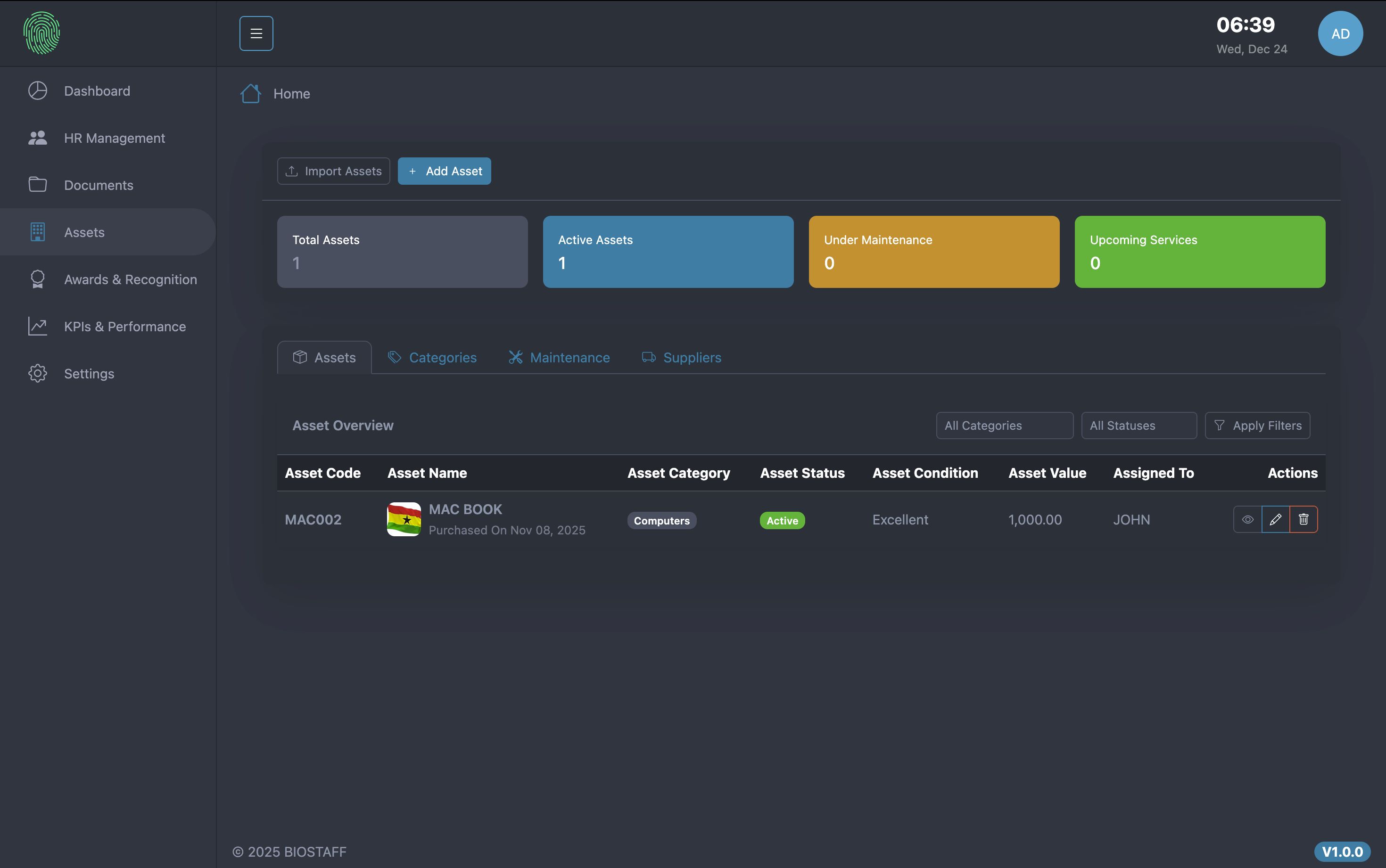
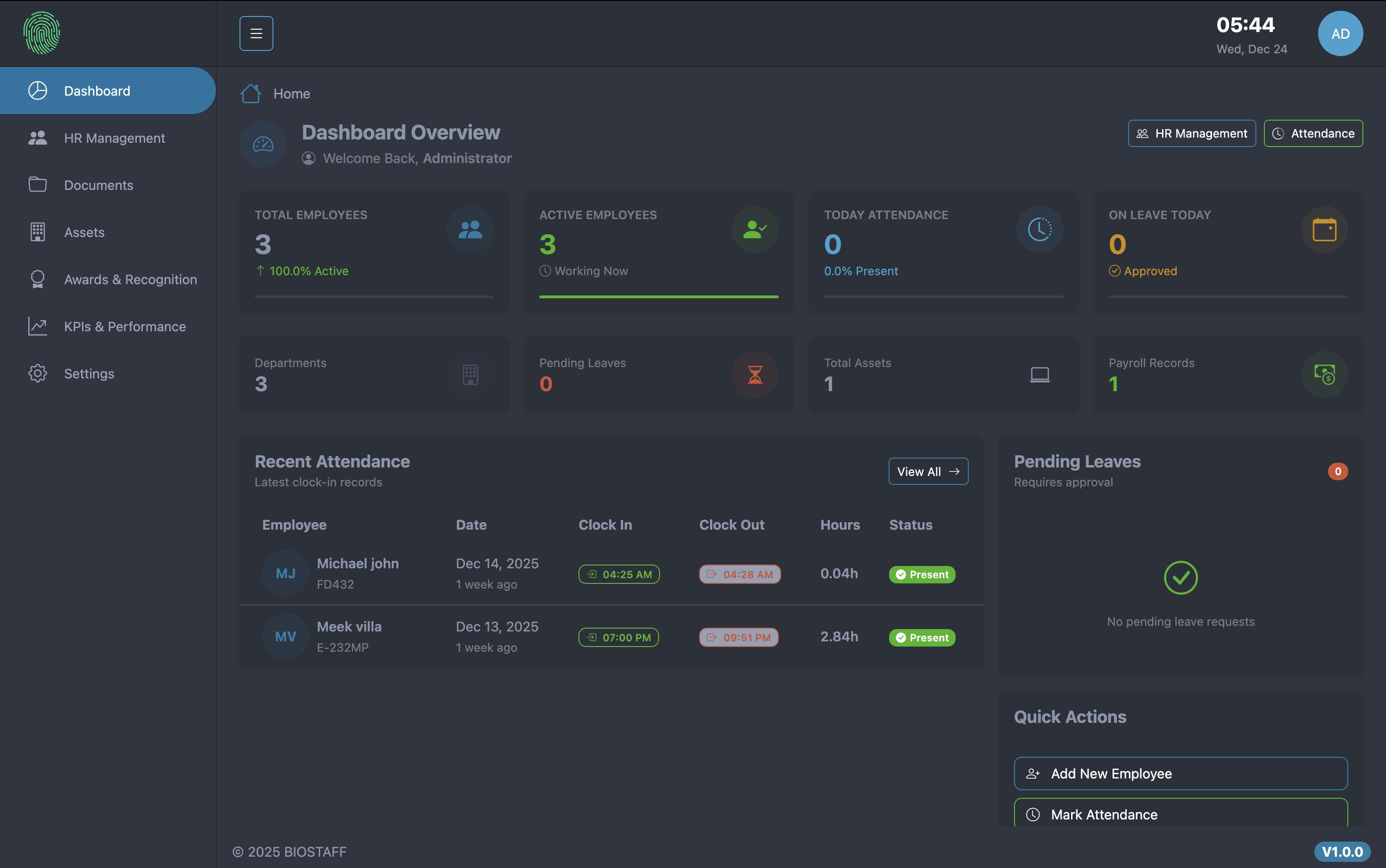
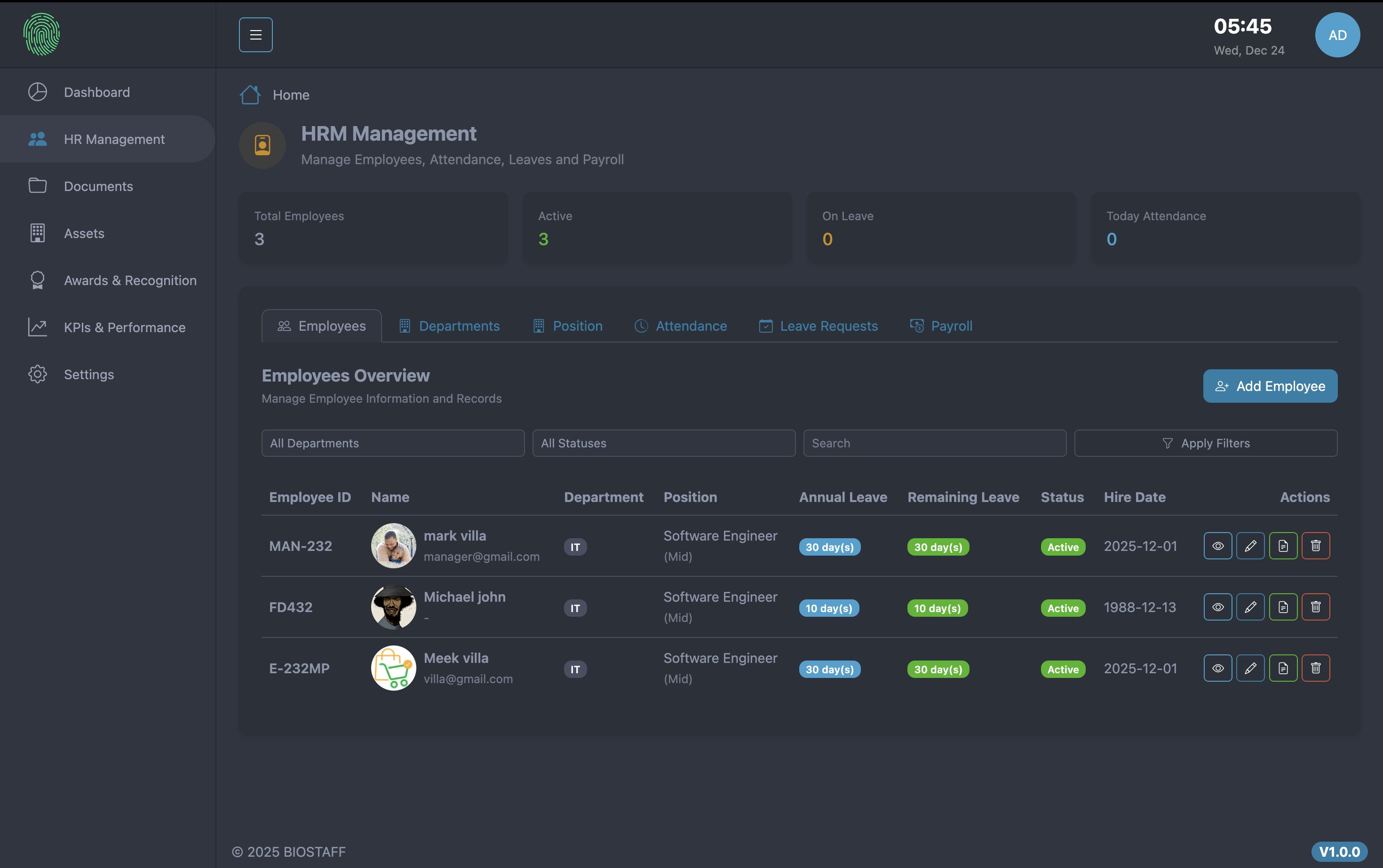
Overview
BIOSTAFF - Complete HR Management & Payroll System with Biometric Attendance
BIOSTAFF is a comprehensive, all-in-one Human Resource Management and Payroll solution built with Laravel. Designed for businesses of all sizes, BIOSTAFF streamlines HR operations with powerful features including biometric attendance tracking, KPI performance management, automated payroll processing, and a self-service employee portal.
Default Login URL: https://biostaff.aknsystems.com
Admin Email: [email protected]
Employee Email: [email protected]
Manager Email: [email protected]
Password:password123
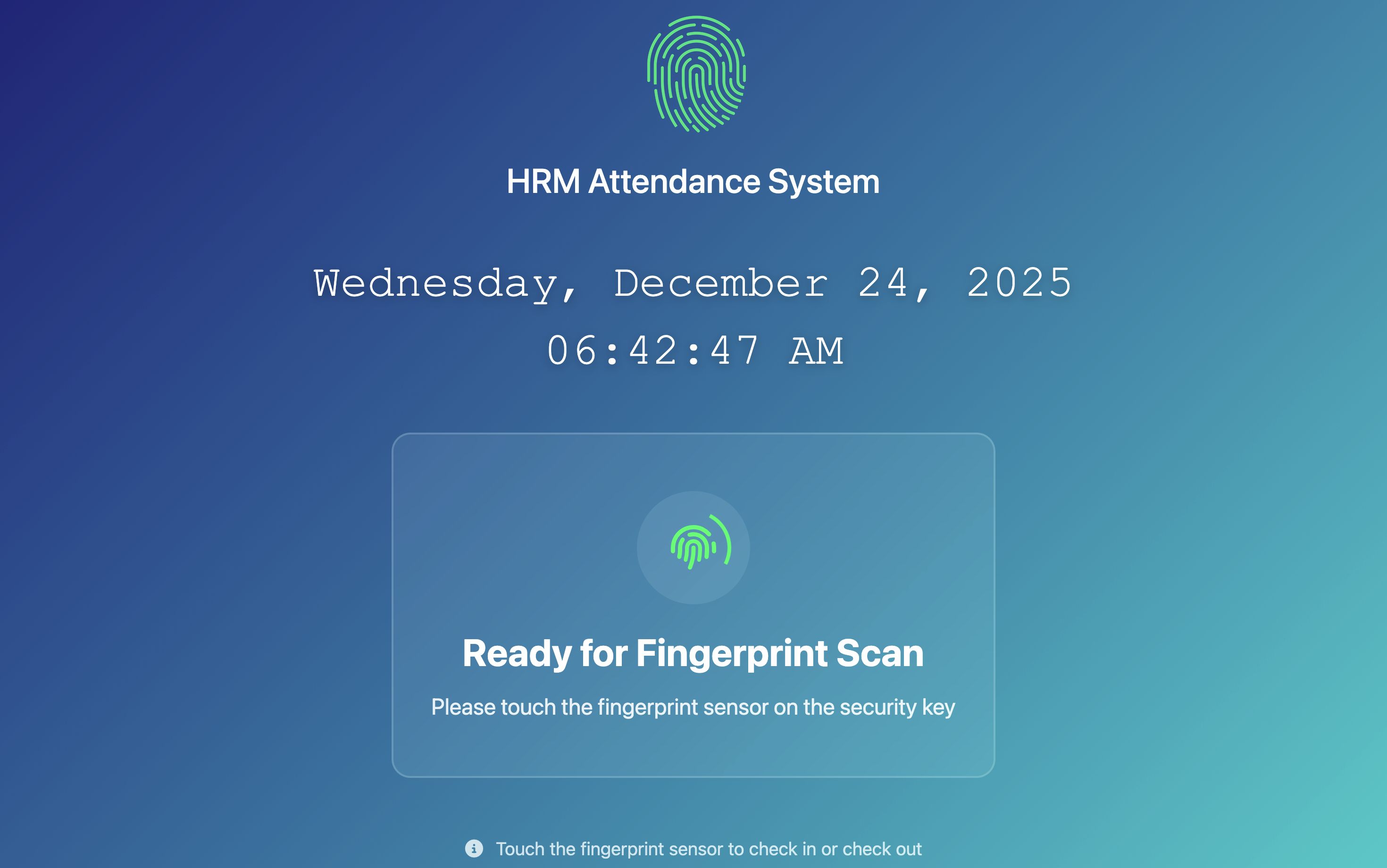
For the Attendance kiosk : https://biostaff.aknsystems.com/kiosk
Features
KEY FEATURES
1. BIOMETRIC ATTENDANCE (Unique Feature):
• Navigate to /kiosk route for the attendance kiosk interface
• System supports BioPass K49 FIDO2/U2F device for fingerprint authentication
• Kiosk demonstrates full-screen touchscreen interface with real-time feedback
• Note: Actual biometric device not required for demo - manual attendance entry available as fallback
• Test automatic attendance recording with IP tracking
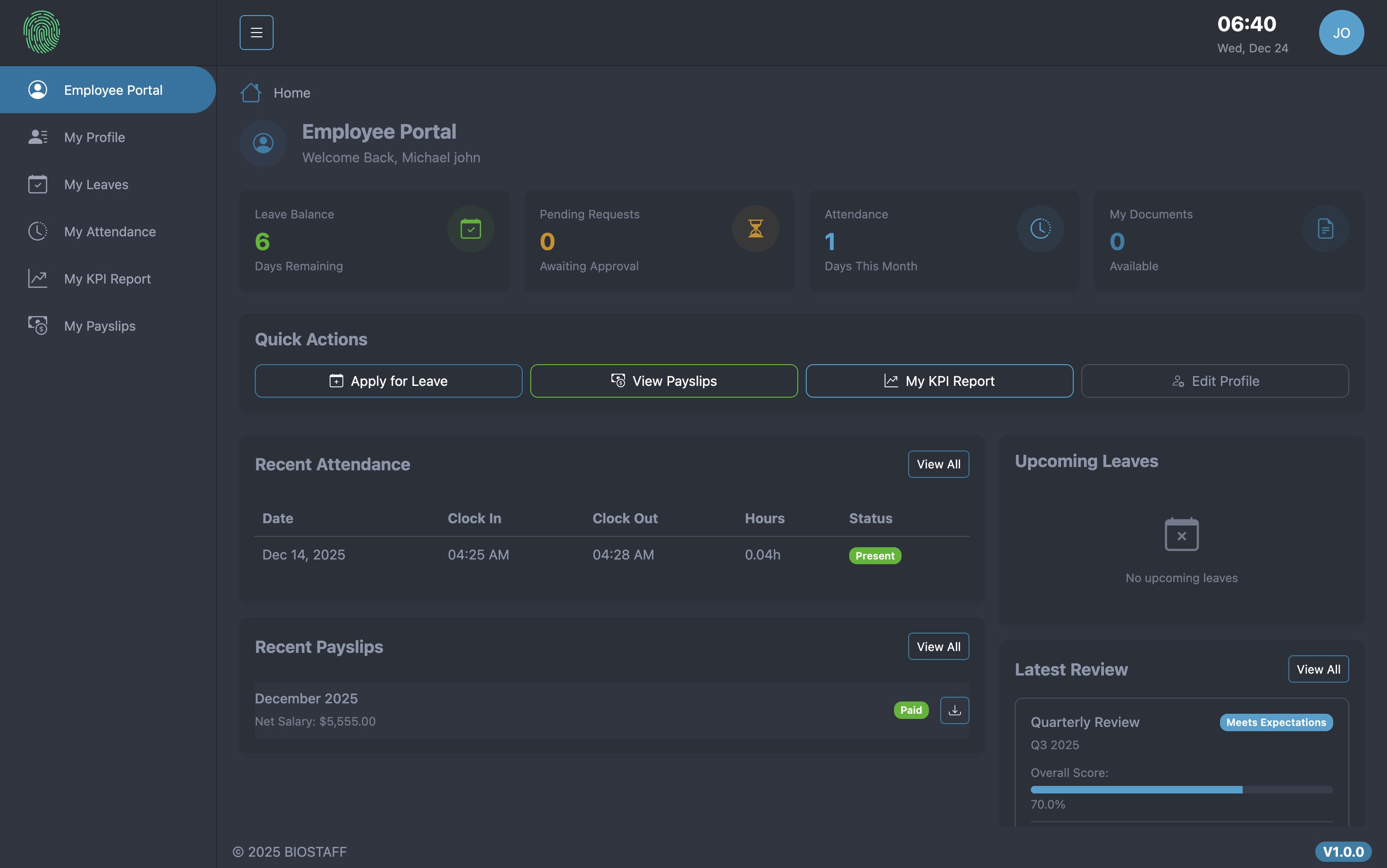
2. EMPLOYEE SELF-SERVICE PORTAL:
• Login with [email protected] to access the portal
• Dashboard shows leave balance, attendance stats, recent payslips
• Test leave request submission with date range selection
• View attendance history with filtering options
• Download salary slips as PDF documents
• Access and download issued documents
3. MANAGER ROLE & TEAM MANAGEMENT:
• Login with [email protected] to see manager capabilities
• My Team page displays only department employees (hierarchical access)
• Assign KPIs to team members with target values
• Create performance reviews with automatic scoring
• Verify managers cannot access other departments' data
4. PERMISSION SYSTEM:
• Fine-grained permissions for 12+ modules (HRM, KPIs, Assets, Awards, Documents, etc.)
• Each module has view/create/edit/delete permission types
• Test by viewing user permissions in Settings > User Management
• Verify permission checks on every request (deny by default principle)
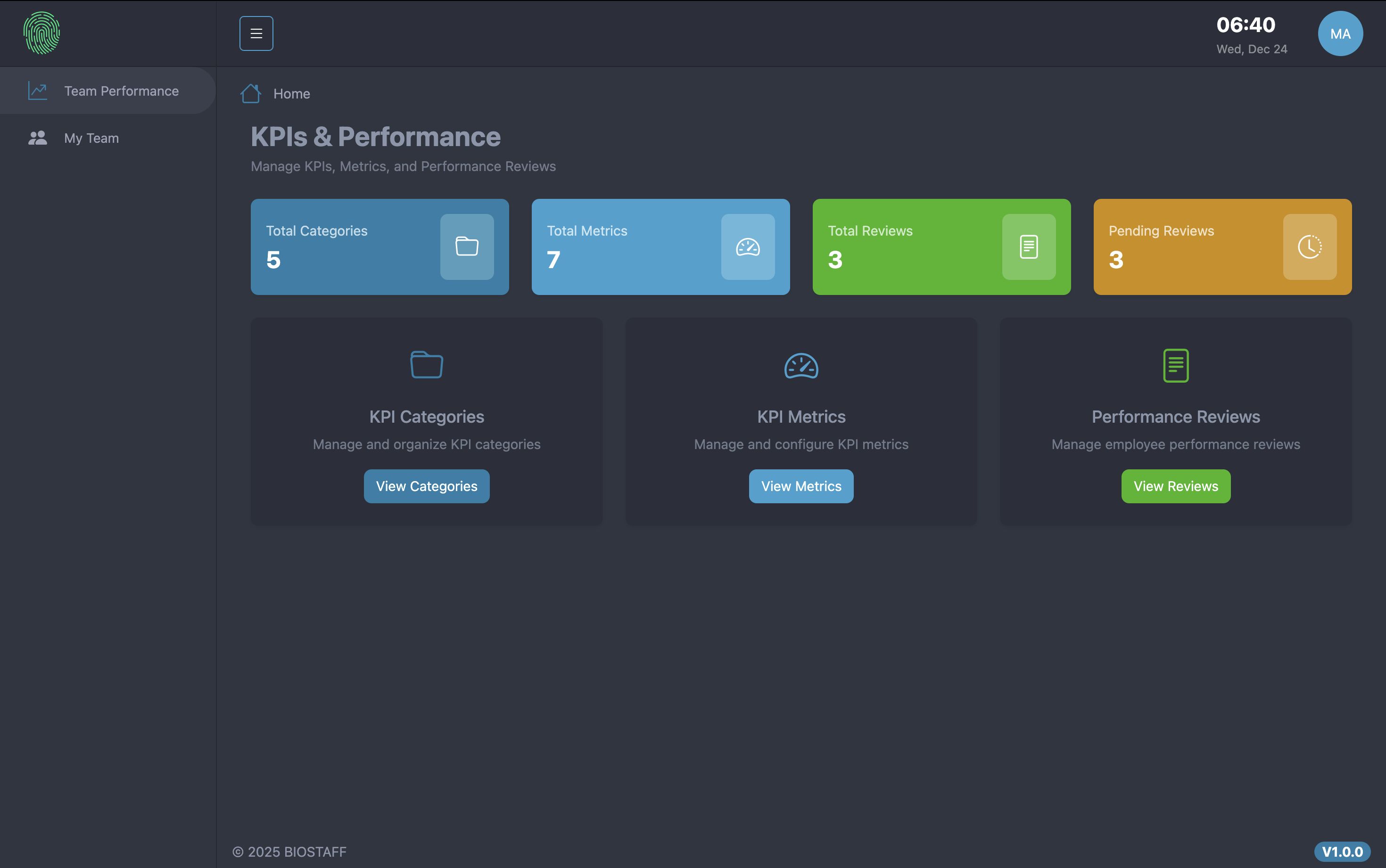
5. KPI & PERFORMANCE MANAGEMENT:
• Create KPI categories and metrics with measurable targets
• Assign employee KPIs with target and actual values
• System automatically calculates achievement percentage and scores
• Create performance reviews (Annual, Quarterly, Mid-Year, Probation)
• Automatic rating assignment based on scores (Excellent to Poor)
6. AUTOMATED PAYROLL PROCESSING:
• Navigate to HRM > Payroll to view payroll records
• System calculates gross salary (basic + allowances + overtime + bonus + commission)
• Automatic deduction calculation (tax + insurance + advance + other)
• Net salary automatically computed (gross - deductions)
• Generate and download salary slips as PDF
• Support for multiple payment methods
7. DOCUMENT MANAGEMENT:
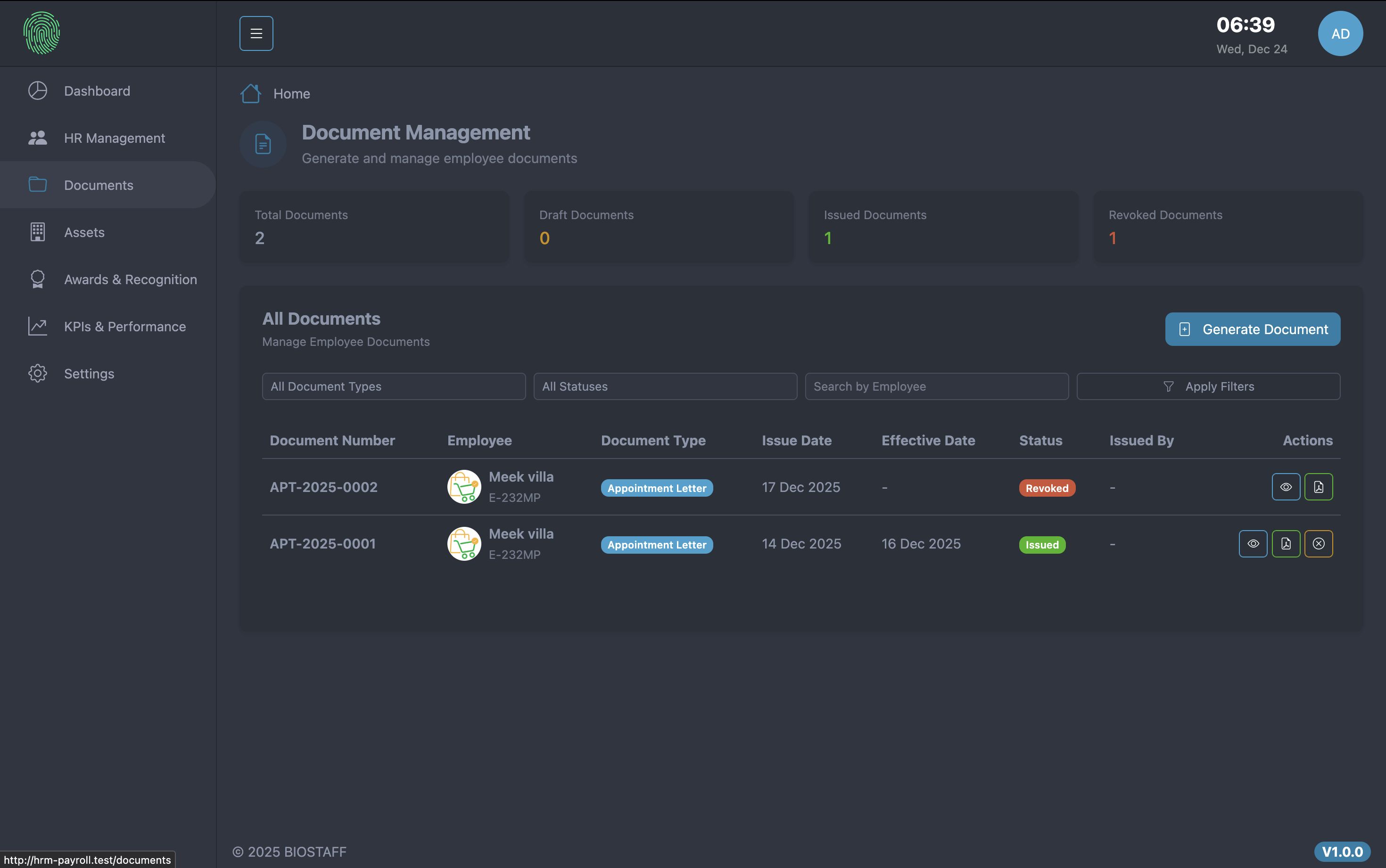
• 10+ document types including Appointment Letters, Certificates, NOC, Relieving Letters
• Automated document numbering system (e.g., APT-2025-0001)
• HTML-based templates with customizable content
• PDF generation and storage
• Employee portal access for document downloads
8. ASSETS MANAGEMENT:
• Track company assets with unique codes and categories
• Record purchase information, warranty dates, and current values
• Assign assets to employees or locations
• Maintenance tracking with cost and service provider details
• Asset condition and status monitoring
9. LEAVE MANAGEMENT:
• Multiple leave types (Annual, Sick, Emergency, Maternity, Paternity, Unpaid)
• Leave request workflow with approval system
• Automatic leave balance calculation and tracking
• Leave history with filtering by status, employee, and date range
• Rejection reason tracking for declined requests
10. DASHBOARD & ANALYTICS:
• Real-time HR metrics including employee counts, attendance rates
• Attendance statistics with present/absent/late tracking
• Leave request analytics by status
• Monthly payroll summaries
• Visual charts and graphical representations
• Custom date range filtering for reports
Requirements
SERVER REQUIREMENTS
Web Server:
- Apache 2.4+ or Nginx 1.18+
- mod_rewrite enabled (Apache)
PHP Requirements:
- PHP Version: 8.2.0 or higher
- Memory Limit: 256MB minimum (512MB recommended)
- Max Execution Time: 300 seconds
- Upload Max Filesize: 64MB minimum
Required PHP Extensions:
- PDO PHP Extension
- PDO MySQL Extension
- MBString PHP Extension
- OpenSSL PHP Extension
- Tokenizer PHP Extension
- JSON PHP Extension
- XML PHP Extension
- Ctype PHP Extension
- Fileinfo PHP Extension
- BCMath PHP Extension
- GD PHP Extension or Imagick PHP Extension
Database Requirements:
- MySQL 5.7+ or MySQL 8.0+
- MariaDB 10.3+ or MariaDB 10.6+
- Database Collation: utf8mb4_unicode_ci
Storage Requirements:
- Minimum 500MB free disk space
- Minimum 1GB recommended for production use
Browser Requirements (for users):
- Google Chrome 90+
- Mozilla Firefox 88+
- Safari 14+
- Microsoft Edge 90+
- WebAuthn/FIDO2 support for biometric attendance features
Additional Requirements:
- Composer (PHP dependency manager) - for installation
- Write permissions on storage and bootstrap/cache directories
- Valid SSL certificate (recommended for security)
Optional (for Biometric Attendance):
- BioPass K49 FIDO2/U2F security key device (purchased separately)
- USB port for biometric device connection
Recommended Hosting Providers:
- DigitalOcean
- Hostinger
- aws
- Vultr
- Cloudways
- Any cPanel/Plesk hosting with PHP 8.2+ support
Instructions
BIOSTAFF - INSTALLATION GUIDE
BIOSTAFF can be installed using two methods: Automated Installation Wizard (recommended) or Manual Installation.
━━━━━━━━━━━━━━━━━━━━━━━━━━━━━━━━━━━━━━━━━━━━━━━━━━━━━
METHOD 1: AUTOMATED INSTALLATION WIZARD (RECOMMENDED)
━━━━━━━━━━━━━━━━━━━━━━━━━━━━━━━━━━━━━━━━━━━━━━━━━━━━━
The automated installation wizard makes installation easy for non-technical users. No command line or coding knowledge required.
STEP 1: PREPARE YOUR SERVER
----------------------------
Before installation, ensure your server meets all requirements:
✓ PHP 8.2.0 or higher
✓ MySQL 5.7+ or MariaDB 10.3+
✓ Apache or Nginx web server
✓ All required PHP extensions installed
✓ Composer installed (for dependency installation)
STEP 2: DOWNLOAD AND EXTRACT
-----------------------------
1. Download the BIOSTAFF package (biostaff.zip)
2. Extract the ZIP file
3. Upload all extracted files to your web server directory:
- cPanel: public_html folder
- Plesk: httpdocs folder
- Custom: Your configured web root directory (e.g., /var/www/html)
4. Ensure all files are uploaded to the root directory or subdirectory
STEP 3: CREATE DATABASE
------------------------
Create a MySQL database for BIOSTAFF:
Using cPanel:
1. Log in to cPanel
2. Navigate to "MySQL Databases"
3. Create a new database (e.g., biostaff_db)
4. Create a new MySQL user with a strong password
5. Add the user to the database with ALL PRIVILEGES
6. Note down the following information:
- Database name (e.g., username_biostaff_db)
- Database username (e.g., username_dbuser)
- Database password
- Database host (usually "localhost")
Using phpMyAdmin:
1. Log in to phpMyAdmin
2. Click "New" to create a database
3. Enter database name and select utf8mb4_unicode_ci collation
4. Click "Create"
5. Go to "Privileges" tab
6. Create a new user with ALL PRIVILEGES on this database
Using MySQL Command Line:
mysql> CREATE DATABASE biostaff_db CHARACTER SET utf8mb4 COLLATE utf8mb4_unicode_ci;
mysql> CREATE USER 'biostaff_user'@'localhost' IDENTIFIED BY 'strong_password_here';
mysql> GRANT ALL PRIVILEGES ON biostaff_db.* TO 'biostaff_user'@'localhost';
mysql> FLUSH PRIVILEGES;
IMPORTANT NOTE: Some hosting providers add a prefix to database names and usernames
(e.g., username_biostaff_db). Use the FULL name including the prefix during installation.
STEP 4: SET FOLDER PERMISSIONS
-------------------------------
Set write permissions (755 or 775) on the following directories:
Required writable directories:
- storage/
- storage/app/
- storage/app/public/
- storage/framework/
- storage/framework/cache/
- storage/framework/sessions/
- storage/framework/views/
- storage/logs/
- bootstrap/cache/
Using cPanel File Manager:
1. Navigate to the directory
2. Right-click and select "Change Permissions"
3. Set to 755 or 775
4. Check "Recurse into subdirectories" for storage/ folder
Using FTP/SFTP:
1. Connect to your server
2. Right-click directories
3. Set permissions to 755 or 775
Using SSH:
chmod -R 775 storage
chmod -R 775 bootstrap/cache
STEP 5: RUN INSTALLATION WIZARD
--------------------------------
1. Open your web browser
2. Navigate to your domain:
- Main domain: https://yourdomain.com
- Subdomain: https://subdomain.yourdomain.c...
- Subfolder: https://yourdomain.com/biostaf...
3. The installation wizard will start automatically if BIOSTAFF is not yet installed
STEP 6: SYSTEM REQUIREMENTS CHECK
----------------------------------
The wizard will automatically check if your server meets all requirements:
✓ PHP Version (8.2.0+)
✓ PHP Extensions (PDO, MySQL, MBString, OpenSSL, etc.)
✓ Directory Permissions (storage, bootstrap/cache)
✓ Apache mod_rewrite (if using Apache)
If any requirements are not met:
- Red indicators will show what's missing
- Contact your hosting provider to install missing components
- Fix permission issues using instructions in Step 4
Once all requirements are met, click "Next" to continue.
STEP 7: DATABASE CONFIGURATION
-------------------------------
Enter your database connection details:
Database Host:
- Usually "localhost"
- Some hosts use "127.0.0.1"
- Some hosts use specific hostname (e.g., "mysql.yourdomain.com")
- Check with your hosting provider if unsure
Database Port:
- Default: 3306
- Leave as default unless your host specifies otherwise
Database Name:
- The database you created in Step 3
- Include any prefixes (e.g., username_biostaff_db)
Database Username:
- The database user you created
- Include any prefixes (e.g., username_dbuser)
Database Password:
- The password you set for the database user
- Use strong password for security
After entering all information, click "Test Connection" to verify.
If connection fails:
- Verify database credentials are correct
- Check if database user has ALL PRIVILEGES
- Ensure database exists
- Confirm database host is correct
- Check if MySQL is running
If connection succeeds, click "Next" to continue.
STEP 8: DATABASE MIGRATION
---------------------------
The installation wizard will now:
1. Create all necessary database tables
2. Set up default configurations
3. Create default admin user
4. Seed initial data
This process takes approximately 1-2 minutes.
Progress indicators will show:
✓ Creating tables...
✓ Running migrations...
✓ Seeding default data...
✓ Setting up permissions...
✓ Configuring system...
Wait for all steps to complete. Do not close the browser or refresh the page.
STEP 9: ADMIN ACCOUNT SETUP
----------------------------
Create your administrator account:
Admin Name: Your full name
Admin Email: Your email address (used for login)
Admin Password: Strong password (minimum 8 characters)
Confirm Password: Re-enter password
Click "Create Admin Account" to continue.
STEP 10: INSTALLATION COMPLETE
-------------------------------
Congratulations! BIOSTAFF is now installed.
The wizard will automatically:
✓ Remove installation files for security
✓ Remove installation routes
✓ Create installation lock file
✓ Clear all caches
✓ Optimize the system
You will see a success message with your login credentials:
Default Login URL: https://biostaff.aknsystems.com
Admin Email: [email protected]
Admin Password:password123
IMPORTANT SECURITY STEPS:
1. Save your login credentials securely
2. The installation lock file prevents unauthorized re-installation
3. Installation files are automatically deleted
4. Change default admin password after first login (recommended)
Click "Go to Login" to access your BIOSTAFF dashboard.
Other items by this author






|
PHP Script Installation Service
Don't worry about the installation of your script! Have your PHP Script installed for you.
|
$39 | Buy now |
| Category | Scripts & Code / PHP Scripts / Management / HR |
| First release | 25 December 2025 |
| Last update | 25 December 2025 |
| HTML/CSS Framework | Bootstrap |
| Software version | PHP 8.2, PHP 8.3, PHP 8.4 |
| Files included | .php, .css, .html, Javascript .js |
| Database | MySQL 5.x |
| Software framework | Laravel |
| JavaScript Framework | jQuery |
| Tags | HRM, laravel, payroll, hr-management, employee-management, attendance-system, biometric-attendance, leave-management, kpi-tracking, performance-management, employee-portal, salary-management, asset-management, hr-analytics, document-management |




