Home / Scripts & Code / PHP Scripts / Finance / Management

Personal Finance Management SystemPersonal Finance Management System
Personal finance management system with budget planning, expense tracking, multi-wallet support, financial calendar, and comprehenHome / Scripts & Code / PHP Scripts / Finance / Management
Personal Finance Management System
Personal finance management system with budget planning, expense tracking, multi-wallet support, ...
Screenshots

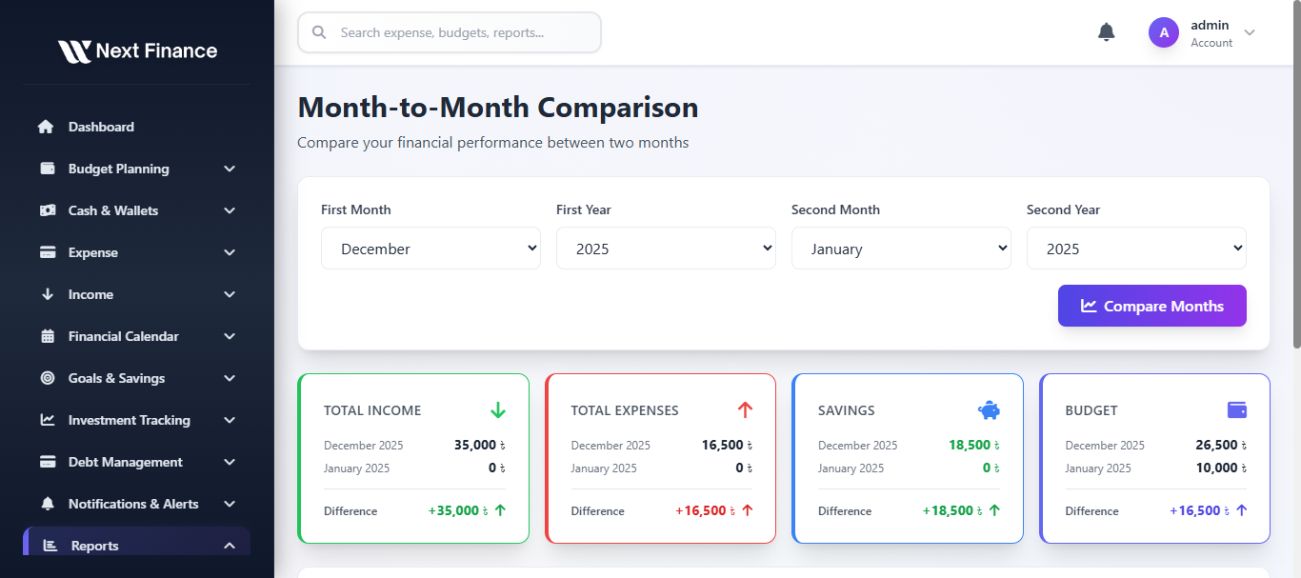
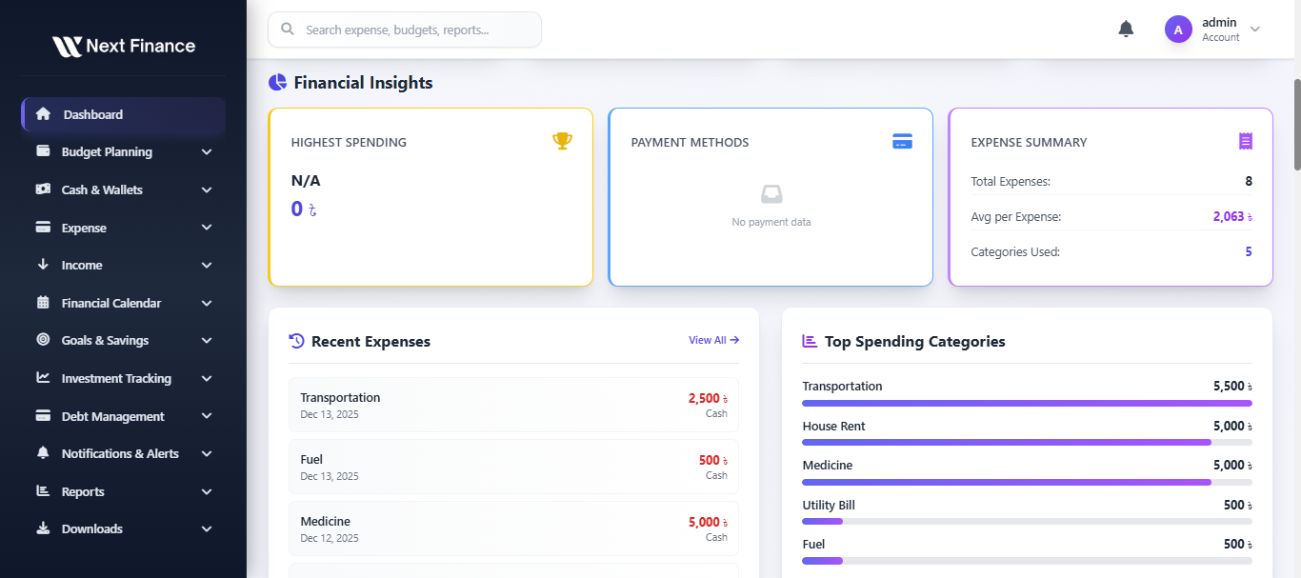
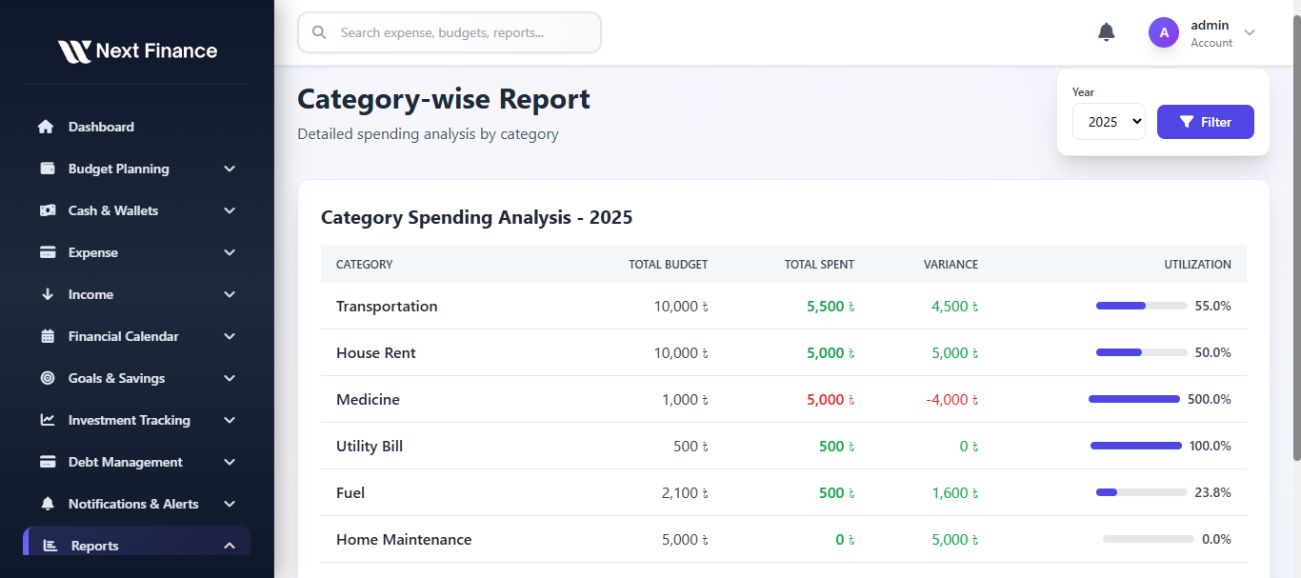
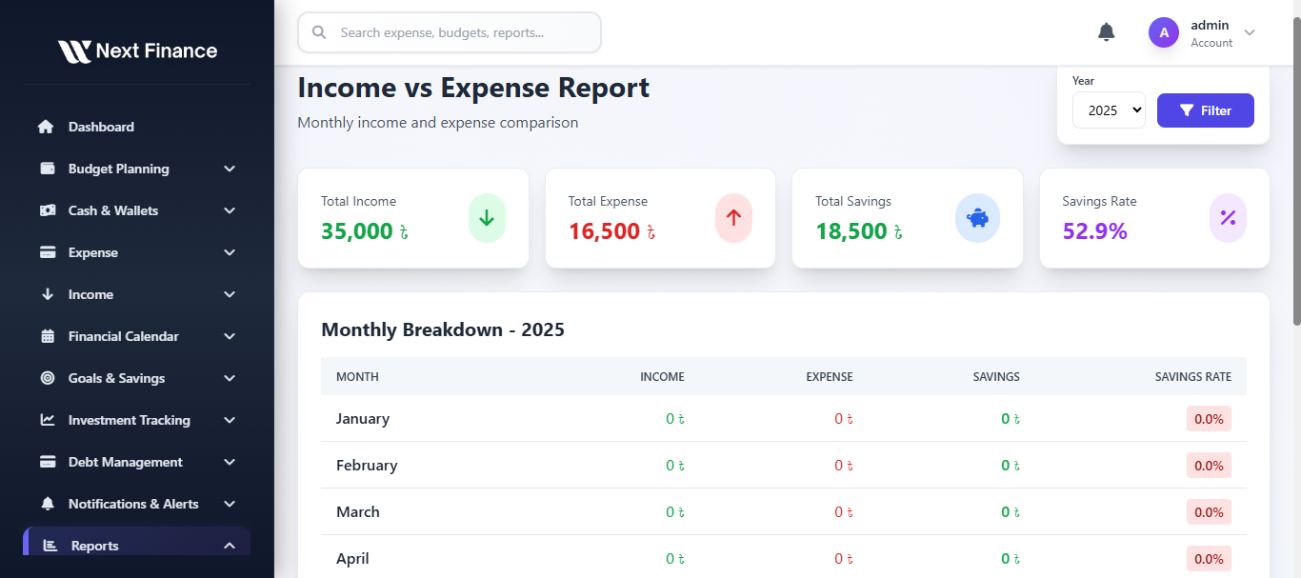

Overview
NextFinance is a comprehensive personal finance management system built with Laravel framework. It helps individuals and families track expenses, manage budgets, monitor income, and achieve financial goals with ease.
Key Features
Dashboard & Analytics
- Fully responsive, modern dashboard with Dark & Light mode
- Real-time overview of current balance (cash + wallets)
- Upcoming bills and spending trends (weekly/monthly/yearly)
- Interactive charts: doughnut, line, bar charts
- Quick insights (top 3 spending categories, savings progress)
- Real-time alerts for budget overshoot
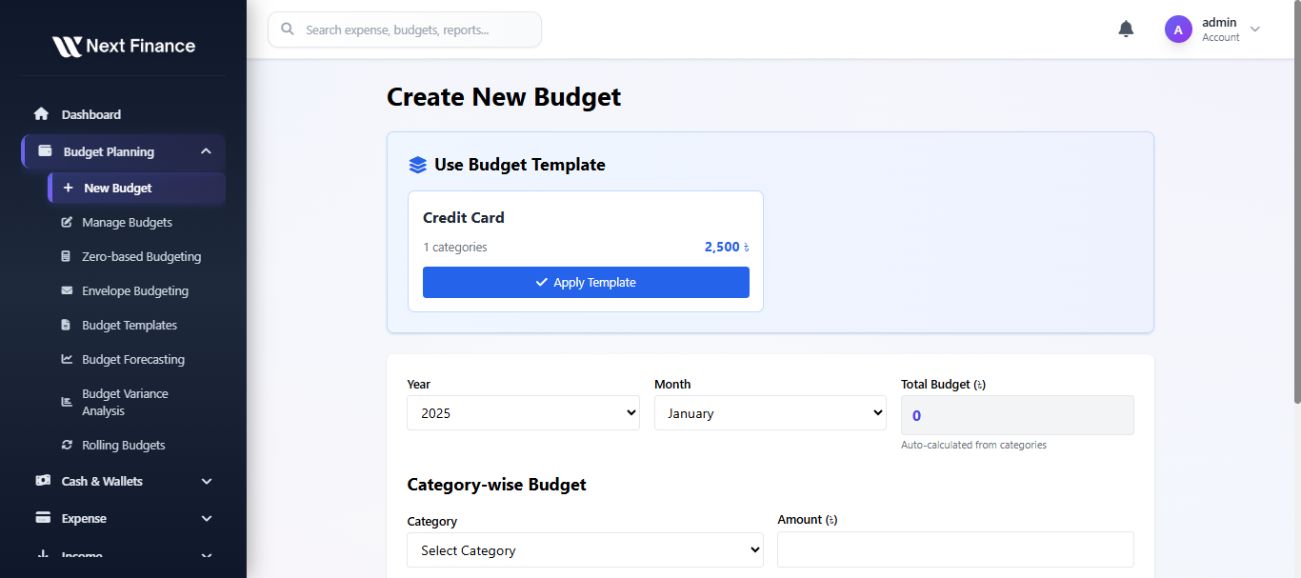
Budget Planning Module
- Multiple budgets per user (monthly, quarterly, yearly)
- Custom categories and subcategories
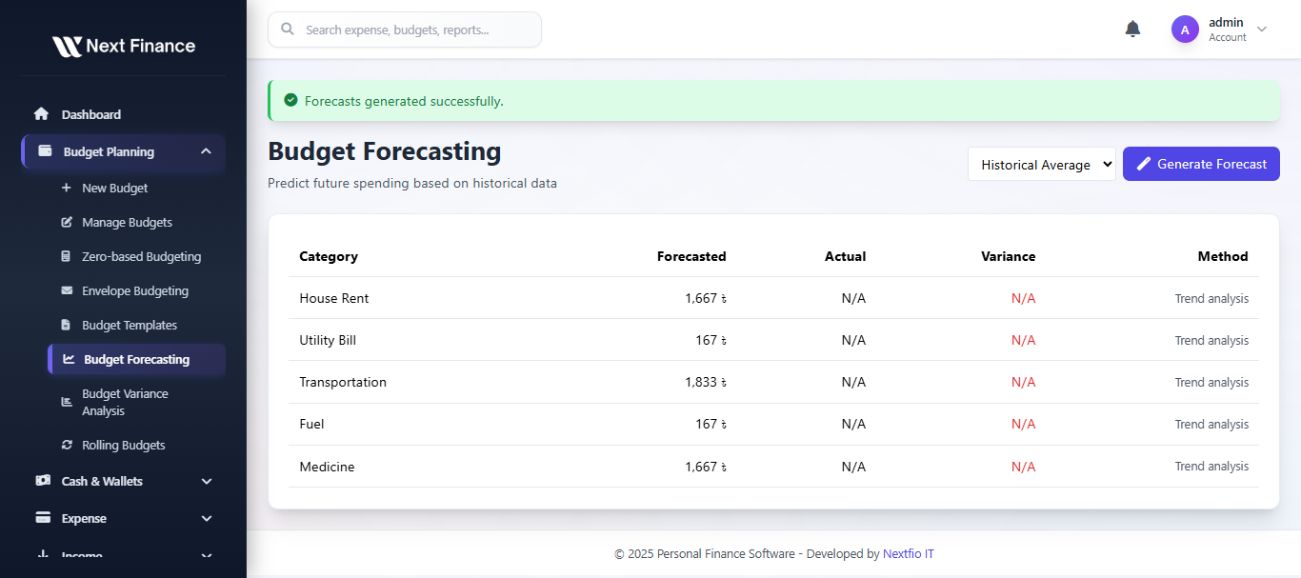
- Predictive budgeting based on past spending
- Budget vs Actual comparison graphs
- Budget rollover feature (unused budget moves to next period)
- Recurring budgets support
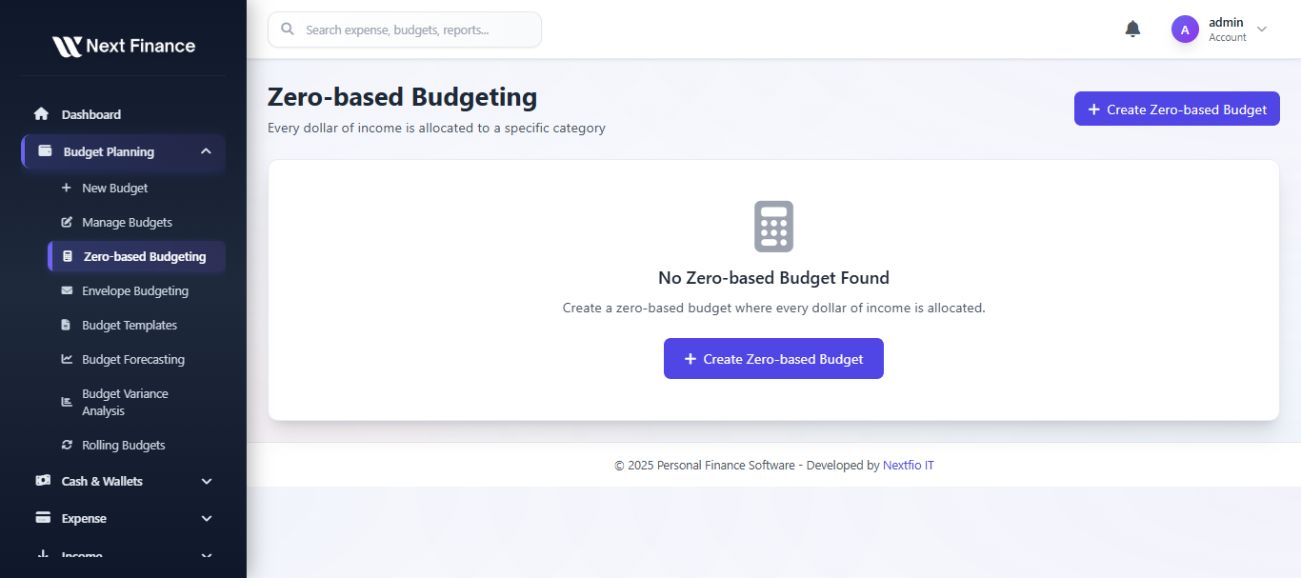
- Zero-based budgeting
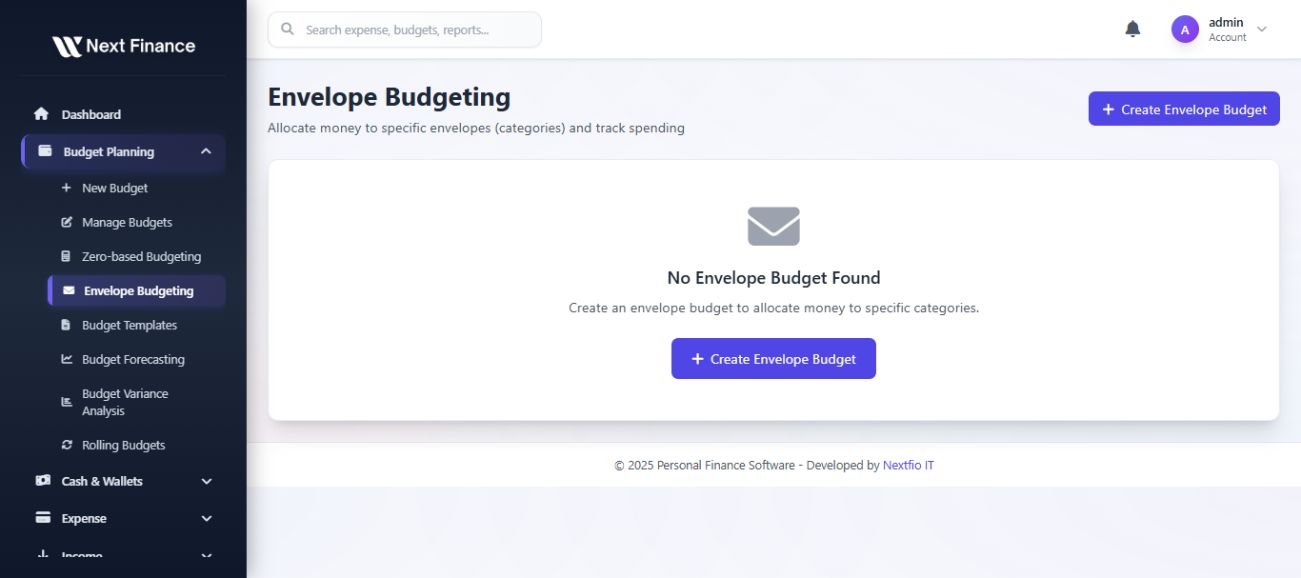
- Envelope budgeting system
- Rolling budgets
Cash & Wallet Management
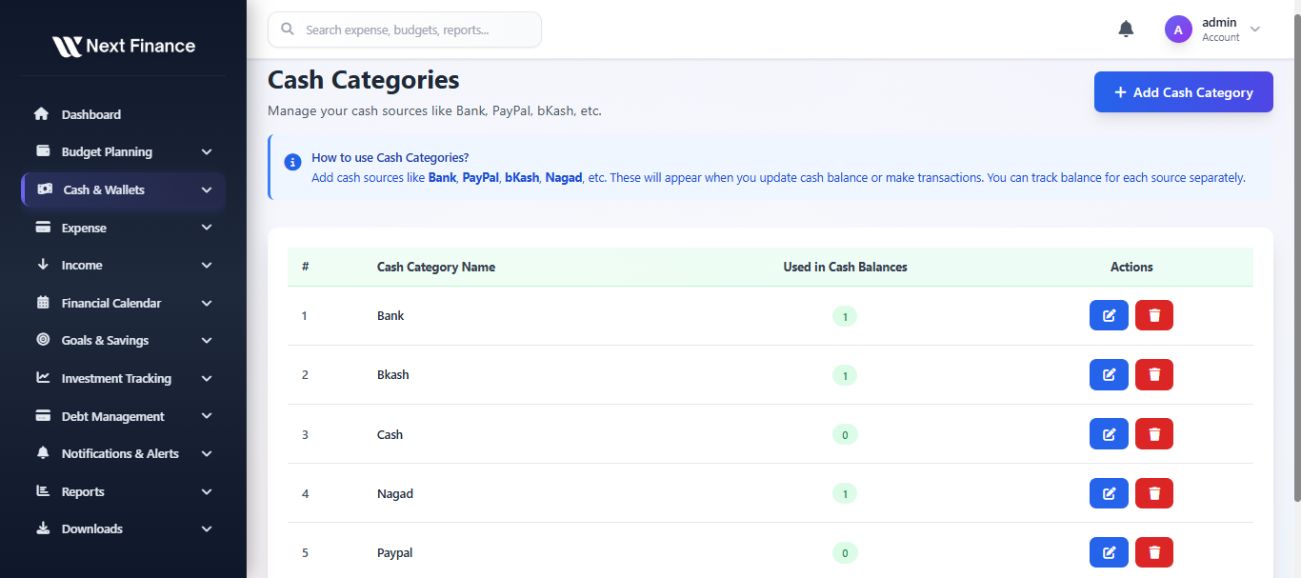
- Multiple wallets/accounts (bank, cash, card, digital wallets)
- Auto-currency conversion
- Quick transfer between wallets
- Wallet summary with balance history
- Cash category management
Expense Tracking
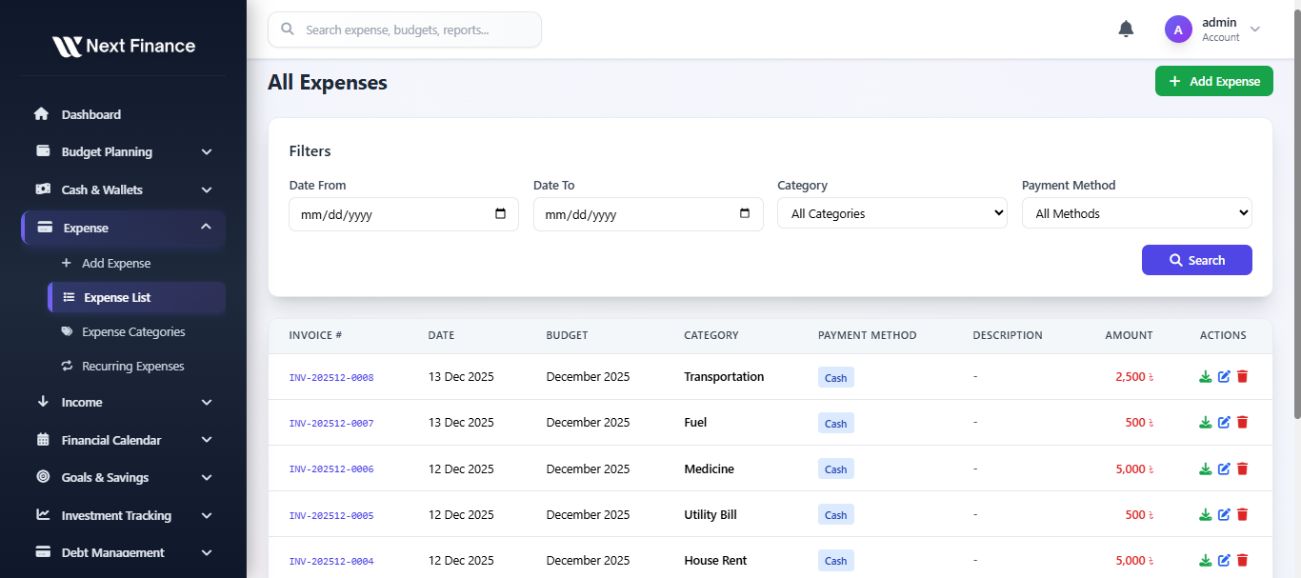
- Manual + recurring + scheduled expense entries
- Expense tagging & notes
- Attach receipts (PDF/Image)
- Auto-categorization suggestion
- Bulk import from CSV/Excel
- Invoice generation and PDF download
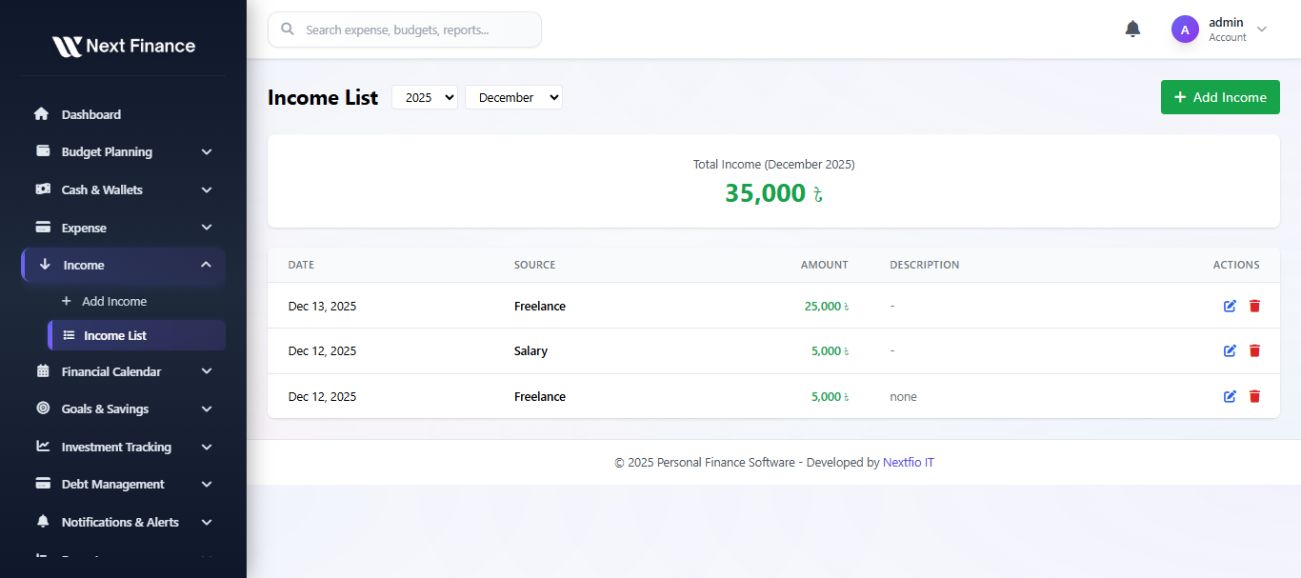
Income Management
- Multi-source income support
- Recurring salary tracking
- Freelance income management
- Investment tracking
- Predictive cashflow based on historical income
- Income tagging & reporting
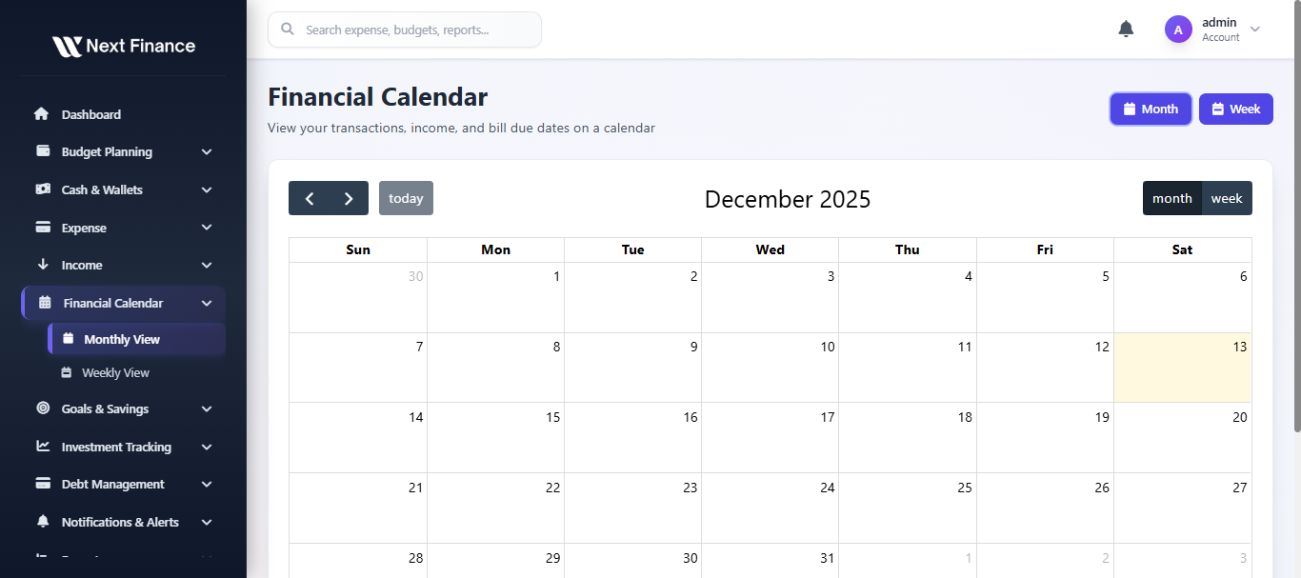
Financial Calendar
- Calendar view for bills, payments, income, goals
- Notifications & reminders for upcoming transactions
- Drag & drop transaction scheduling
- Color-coded for quick status identification
- Month and Week view options
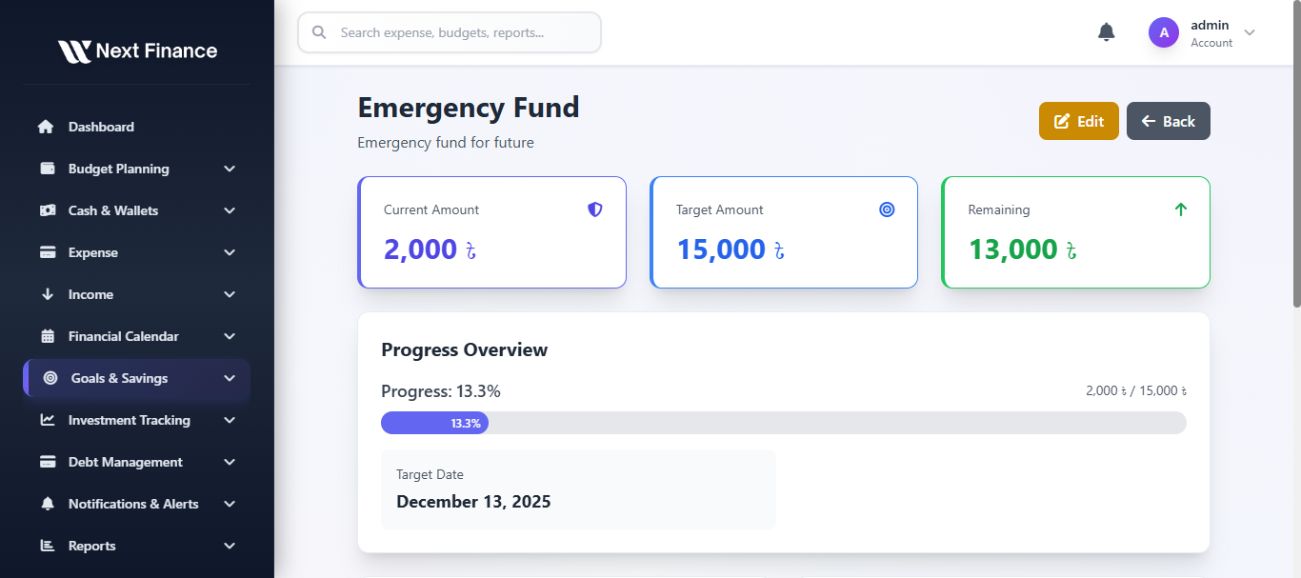
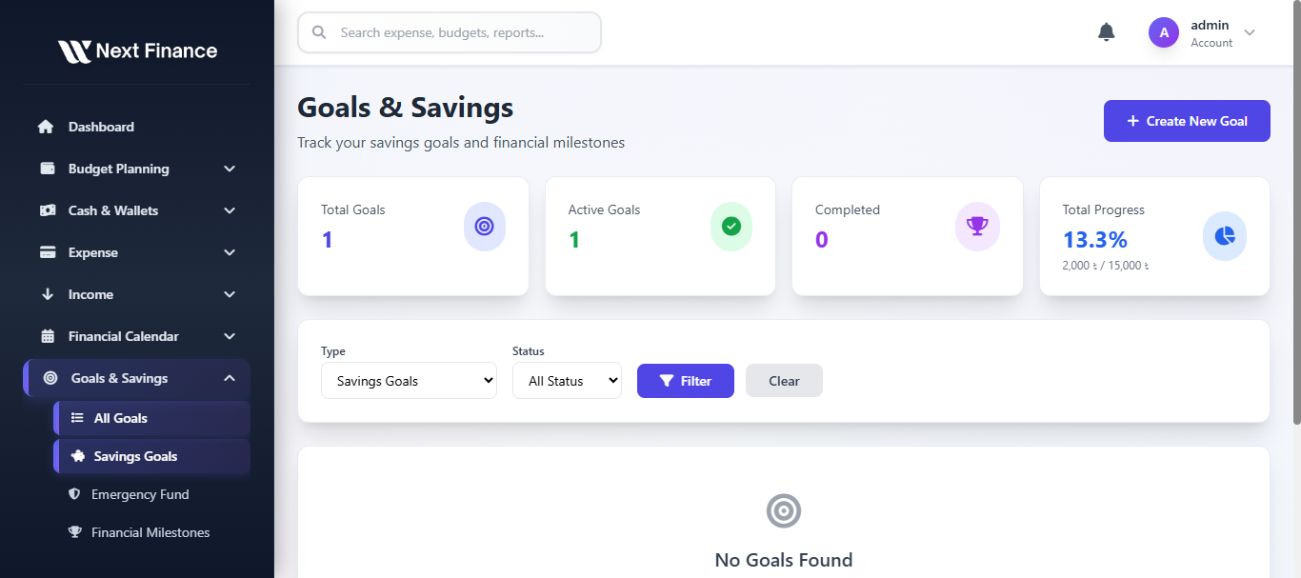
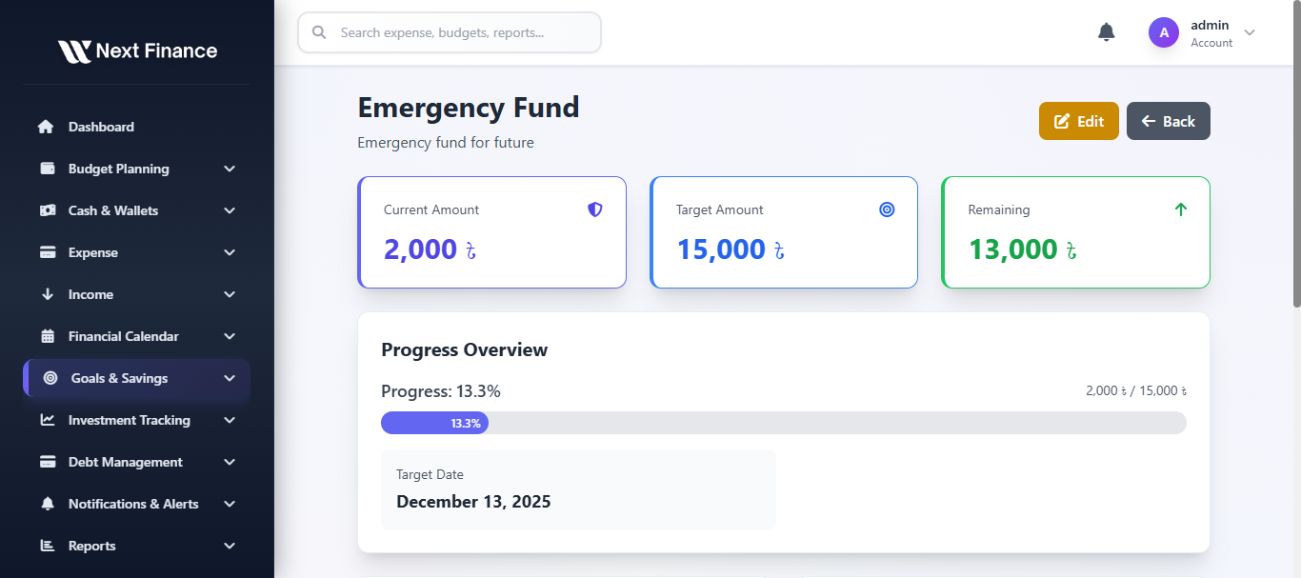
Goals & Savings
- Create multiple financial goals (short-term, long-term)
- Progress tracking with % completion
- Link goals to budgets & income sources
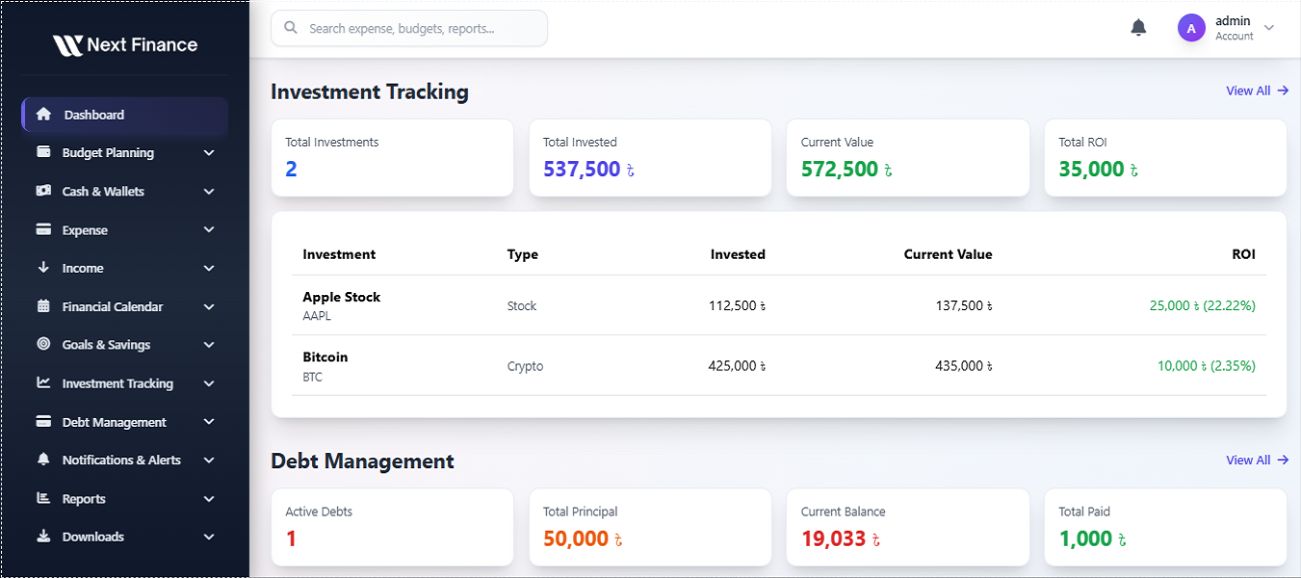
Investment Tracking
- Track stocks, crypto, mutual funds
- Current portfolio value + profit/loss
- Charts for portfolio allocation
- Risk indicator & growth forecast
- Reminders for investment review
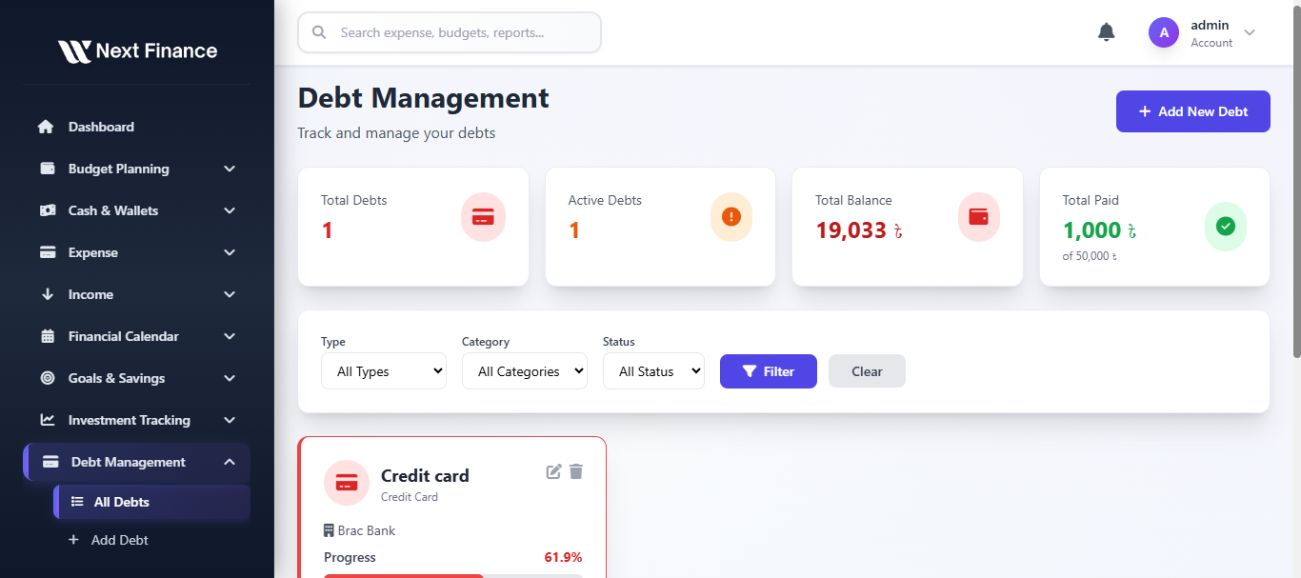
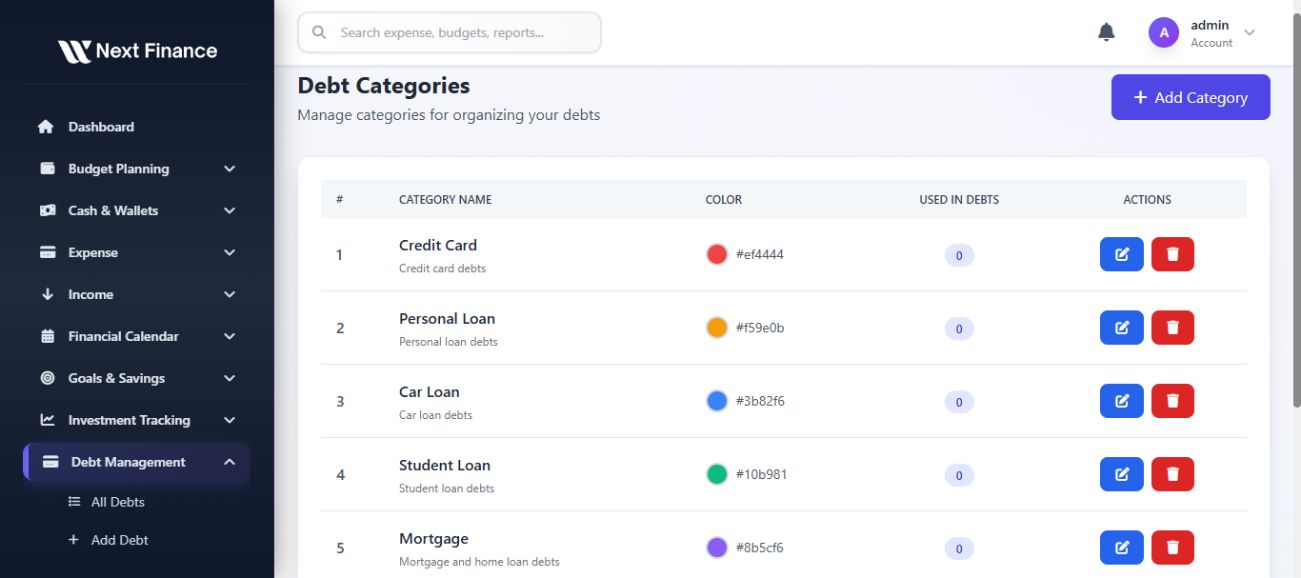
Debt Management
- Track debts, loans, EMI schedules
- Auto reminders for due dates
- Debt payoff forecast
- Prioritize high-interest debt
- Debt category management
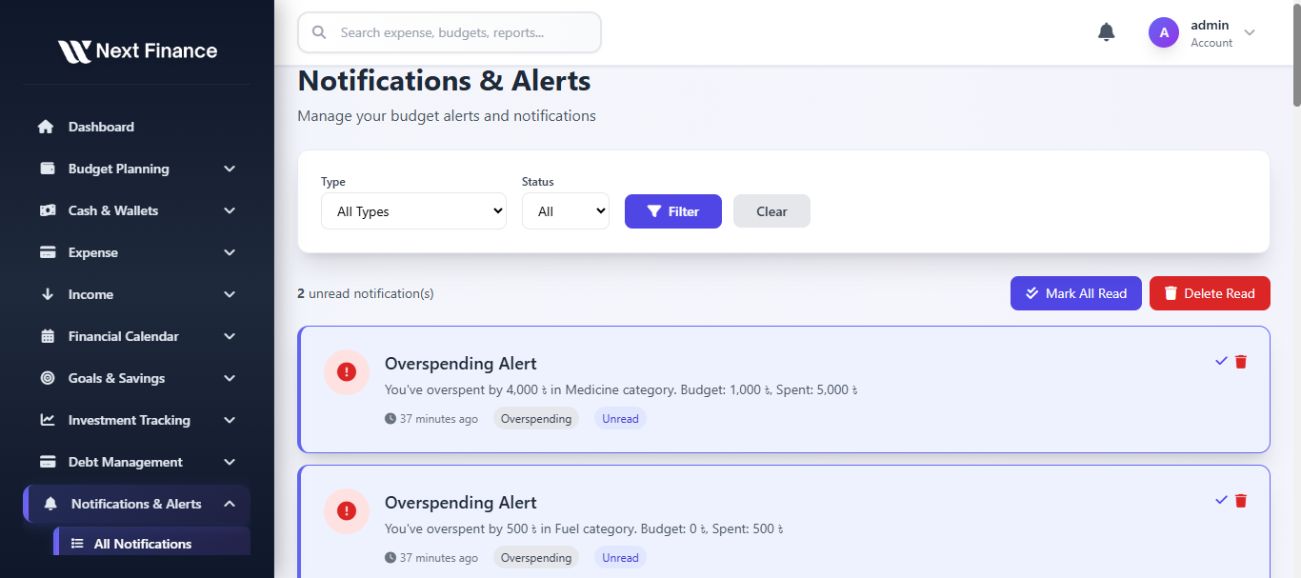
Notifications & Alerts
- Overspending alert
- Budget completion alert
- Upcoming bill/income notification
- Goal progress reminder
- Email & in-app notifications
Reports
- Detailed monthly, quarterly, yearly financial reports
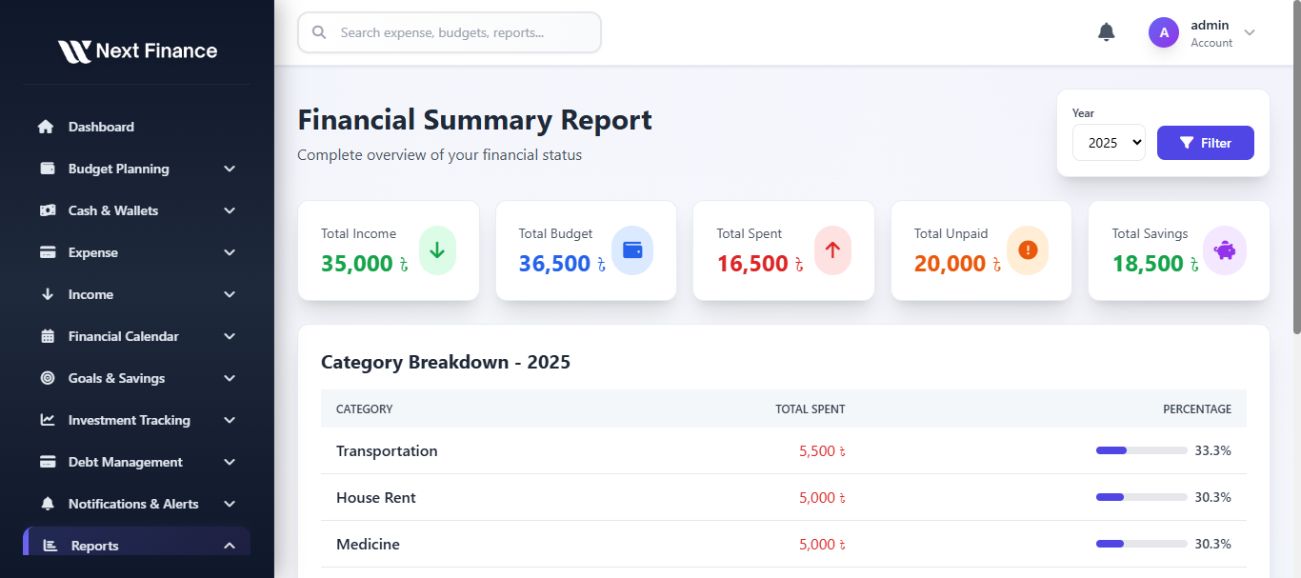
- Expense vs Income summary
- Category-wise breakdown
- Export to PDF/CSV
- Charts for visual insights
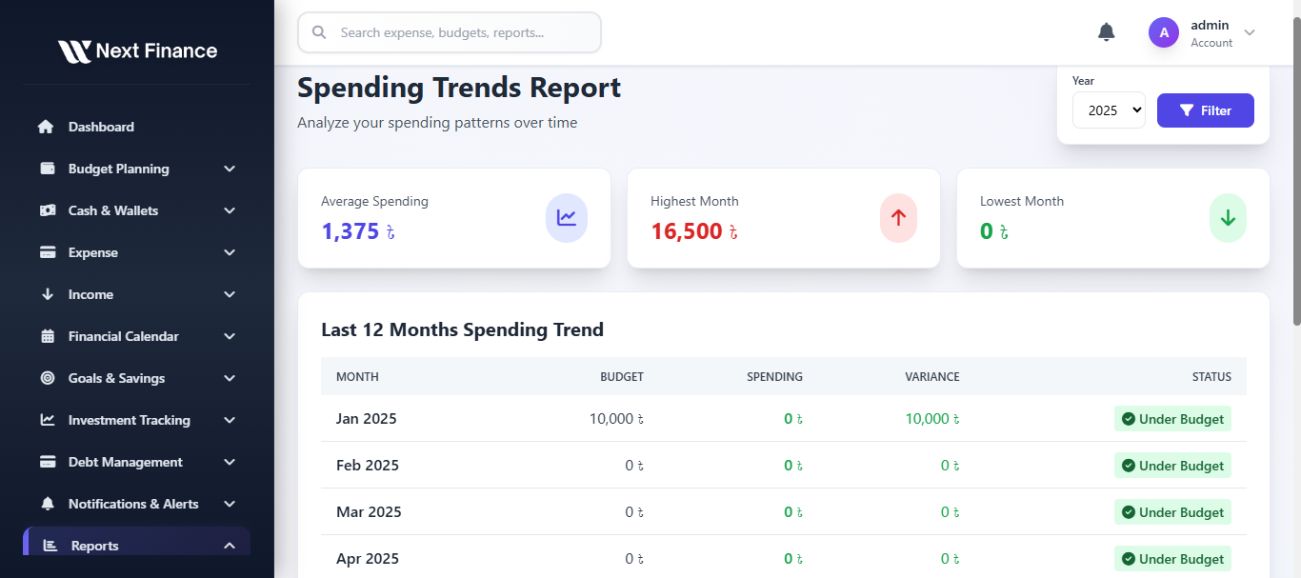
- Spending trends analysis
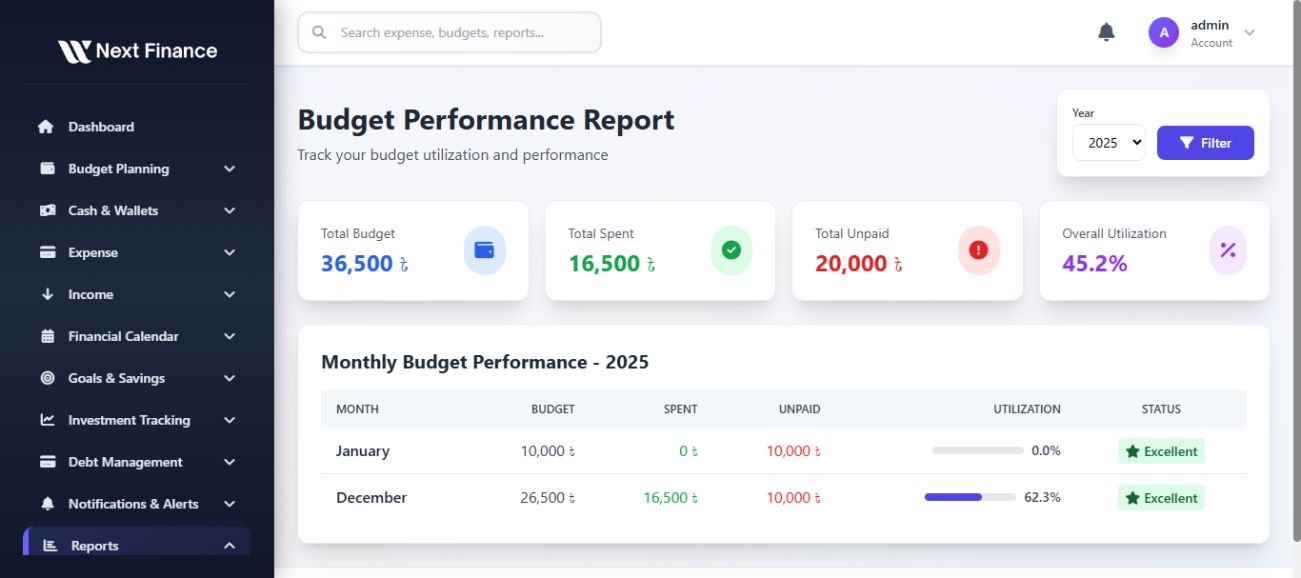
- Budget performance reports
Settings & Security
- Profile & preferences
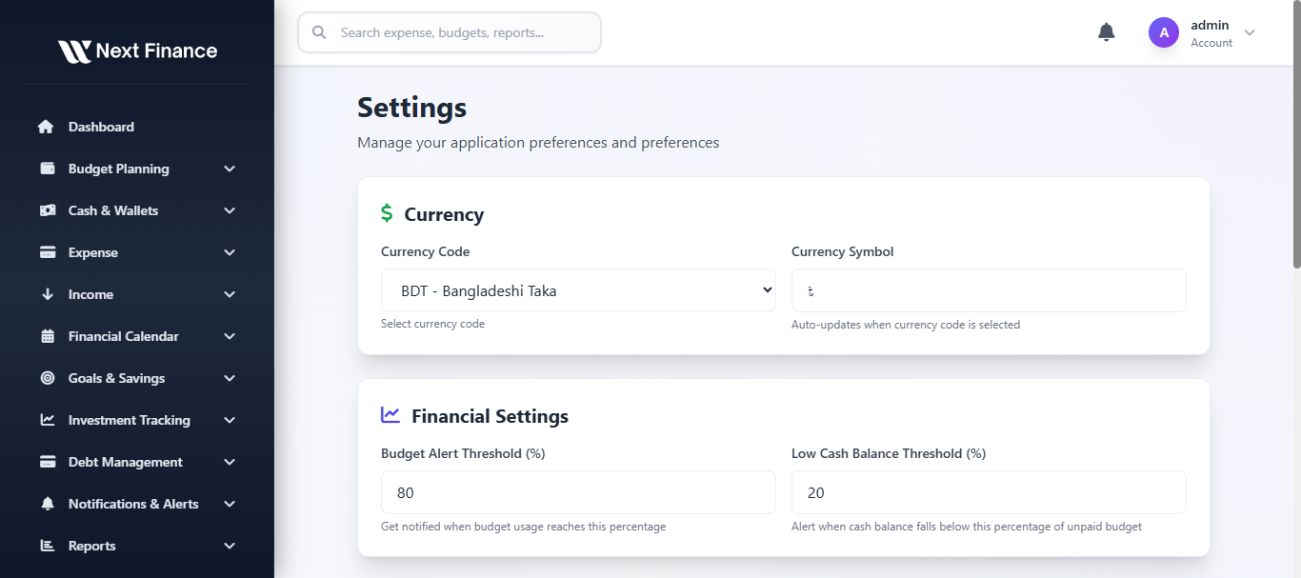
- Multi-currency & timezone support
- Notification preferences
- Security: 2FA, password change
- Data import/export settings
- Theme customization (Dark/Light mode)
Technical Highlights
- Built with Laravel 12 framework
- PHP 8.2+ compatible
- MySQL database
- Responsive design (Mobile, Tablet, Desktop)
- Modern UI with Tailwind CSS
- RESTful API architecture
- CSRF protection & XSS prevention
- SQL injection prevention
- W3C validated HTML
- Cross-browser compatible
Documentation
Comprehensive documentation included with installation guide, customization options, API documentation, and troubleshooting section.
Support
Well-documented code with PHPDoc comments. Clean, maintainable codebase following Laravel best practices.
Features
Core Features
- Dashboard & Analytics: Real-time financial overview with interactive charts and insights
- Budget Planning: Multiple budget types (monthly, quarterly, yearly) with rollover support
- Expense Tracking: Comprehensive expense management with receipt upload and CSV import
- Income Management: Multi-source income tracking with predictive cashflow
- Wallet Management: Multiple wallet/account support with transfer capabilities
- Financial Calendar: Visual calendar with drag & drop scheduling
- Goals & Savings: Financial goal tracking with progress monitoring
- Investment Tracking: Portfolio management with profit/loss calculations
- Debt Management: Debt tracking with payoff forecasts
- Reports & Analytics: Comprehensive financial reports with PDF/CSV export
- Notifications: Real-time alerts for budgets, bills, and goals
- Dark/Light Mode: Theme customization with user preference
- Multi-Currency: Support for multiple currencies
- 2FA Security: Two-factor authentication support
- Invoice Generation: Automatic invoice creation and PDF download
Advanced Features
- Zero-based budgeting
- Envelope budgeting system
- Rolling budgets
- Budget templates
- Recurring transactions
- Bulk CSV/Excel import
- Receipt attachment (images/PDFs)
- Transaction tagging
- Category-wise reporting
- Spending trends analysis
Requirements
Server Requirements
- PHP: 8.2 or higher
- MySQL: 5.7 or higher / MariaDB 10.3 or higher
- Web Server: Apache 2.4+ or Nginx
- Extensions: PDO, OpenSSL, Mbstring, Tokenizer, XML, Ctype, JSON, BCMath, GD, Fileinfo
- Memory: Minimum 128MB PHP memory limit (256MB recommended)
Framework & Libraries
- Laravel: 12.0
- Bootstrap: 5.x (via CDN)
- jQuery: 3.x (via CDN)
- Chart.js: For interactive charts
- FullCalendar: For calendar functionality
Browser Support
- Chrome (latest)
- Firefox (latest)
- Safari (latest)
- Edge (latest)
- Opera (latest)
Instructions
Installation Steps
- Upload Files: Upload all files to your web server via FTP or cPanel File Manager
- Set Permissions: Set proper permissions (755 for directories, 644 for files)
- Create Database: Create a MySQL database and user with full privileges
- Run Installer: Navigate to
yourdomain.com/installin your browser - Follow Wizard: Complete the installation wizard steps:
- Check system requirements
- Configure database connection
- Create admin account
- Login: Login with your admin credentials
- Configure: Set up your preferences, currency, timezone, etc.
Post-Installation
- Delete or rename the
/installdirectory for security - Update your
.envfile with production settings - Set
APP_ENV=productionandAPP_DEBUG=false - Configure email settings for notifications
Customization
- Edit
resources/views/layouts/app.blade.phpfor layout changes - Modify
public/css/app.cssandpublic/css/layout-styles.cssfor styling - Update
config/app.phpfor application settings - See documentation for detailed customization guide
Documentation
Full documentation is included in the documentation/ folder. Open documentation/index.html in your browser for complete guide.
Support
For support, please refer to the documentation or contact through CodeCanyon support system.
Other items by this author









Additional options
|
PHP Script Installation Service
Don't worry about the installation of your script! Have your PHP Script installed for you.
|
$39 | Buy now |
Information
| Category | Scripts & Code / PHP Scripts / Finance / Management |
| First release | 15 December 2025 |
| Last update | 15 December 2025 |
| Files included | .php, .css, .html, .sql, Javascript .js |
| Tags | budget planner, expense tracking, wallet management, personal finance management, budget tracker system, expense tracker system, income tracker system, money management system |