MIRA Forms Studio - WordPress Form BuilderMIRA Forms Studio - WordPress Form Builder
Create responsive WordPress forms with stylish themes, submissions, email notifications, shortcode support and CSV export. Recently Updated
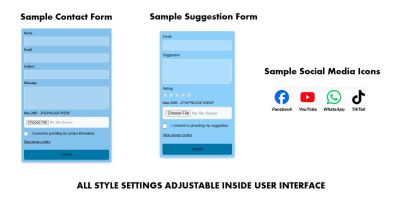
Screenshots


Overview
MIRA Forms Studio is a responsive WordPress form builder plugin designed to help website owners create stylish, professional and mobile-friendly forms without writing code.
The plugin includes a clean admin form builder, multiple ready-made frontend themes, shortcode support, stored submissions, email notifications, file upload support, honeypot spam protection and CSV export. It is suitable for business websites, SaaS products, agencies, real estate websites, restaurants, education platforms, fitness websites, medical websites and modern landing pages.
With MIRA Forms Studio, you can create contact forms, inquiry forms, booking request forms, lead generation forms, project request forms, support forms and custom website forms using a simple WordPress admin interface.
Built for Different Website Types
MIRA Forms Studio includes multiple visual themes so your forms can better match different industries and website styles. Choose from clean, dark, glass, medical, real estate, restaurant, education, fitness and minimal form styles.
Shortcode Usage
After creating a form, simply copy the generated shortcode and place it inside any WordPress page, post or widget area.
[mira_form id="1"]
Important Note
This plugin provides frontend form display, admin form builder, submissions storage, CSV export and email notification features. Email delivery depends on your WordPress hosting mail configuration. File upload limits depend on your server settings.
Features
- Responsive WordPress form builder
- Simple admin form creation panel
- Shortcode support for any page or post
- 10 field types included
- 9 ready-made frontend form themes
- Stored form submissions inside WordPress admin
- CSV export for submissions
- Email notification support
- File upload field support
- Honeypot spam protection
- Required field validation
- Mobile-friendly frontend forms
- Clean modern UI
- Easy to install and use
- Documentation included
Requirements
- WordPress 5.8 or higher
- PHP 7.4 or higher
- Administrator access to install and activate plugins
- Basic WordPress knowledge for adding shortcodes to pages or posts
Instructions
- Download the main plugin package.
- Go to WordPress Admin → Plugins → Add New → Upload Plugin.
- Upload and activate mira-forms-studio.zip.
- Go to MIRA Forms in the WordPress admin menu.
- Create a new form and choose your preferred theme.
- Add or edit form fields using the builder.
- Save the form and copy the generated shortcode.
- Paste the shortcode into any page, post or widget area.
Other items by this author


| Category | Plugins / WordPress / Forms |
| First release | 22 June 2026 |
| Last update | 22 June 2026 |
| Supported CMS | WordPress 5.8, WordPress 5.9, WordPress 6.0, WordPress 6.1, WordPress 6.2, WordPress 6.3, WordPress 6.4, WordPress 6.5, WordPress 6.6, WordPress 6.7, WordPress 6.8 |
| Files included | .php, .css, .html, Javascript .js |
| Tags | contact form, form builder, wordpress plugin, shortcode, responsive form, custom fields, lead generation, file upload, email notification, csv export, spam protection, wordpress form, submissions, form themes, admin form |