WP Easy Drag And Drop File UploaderWP Easy Drag And Drop File Uploader
Drag and drop file uploads for WooCommerce products with previews, progress, cart and order integration. Recently Updated
Screenshots



Overview
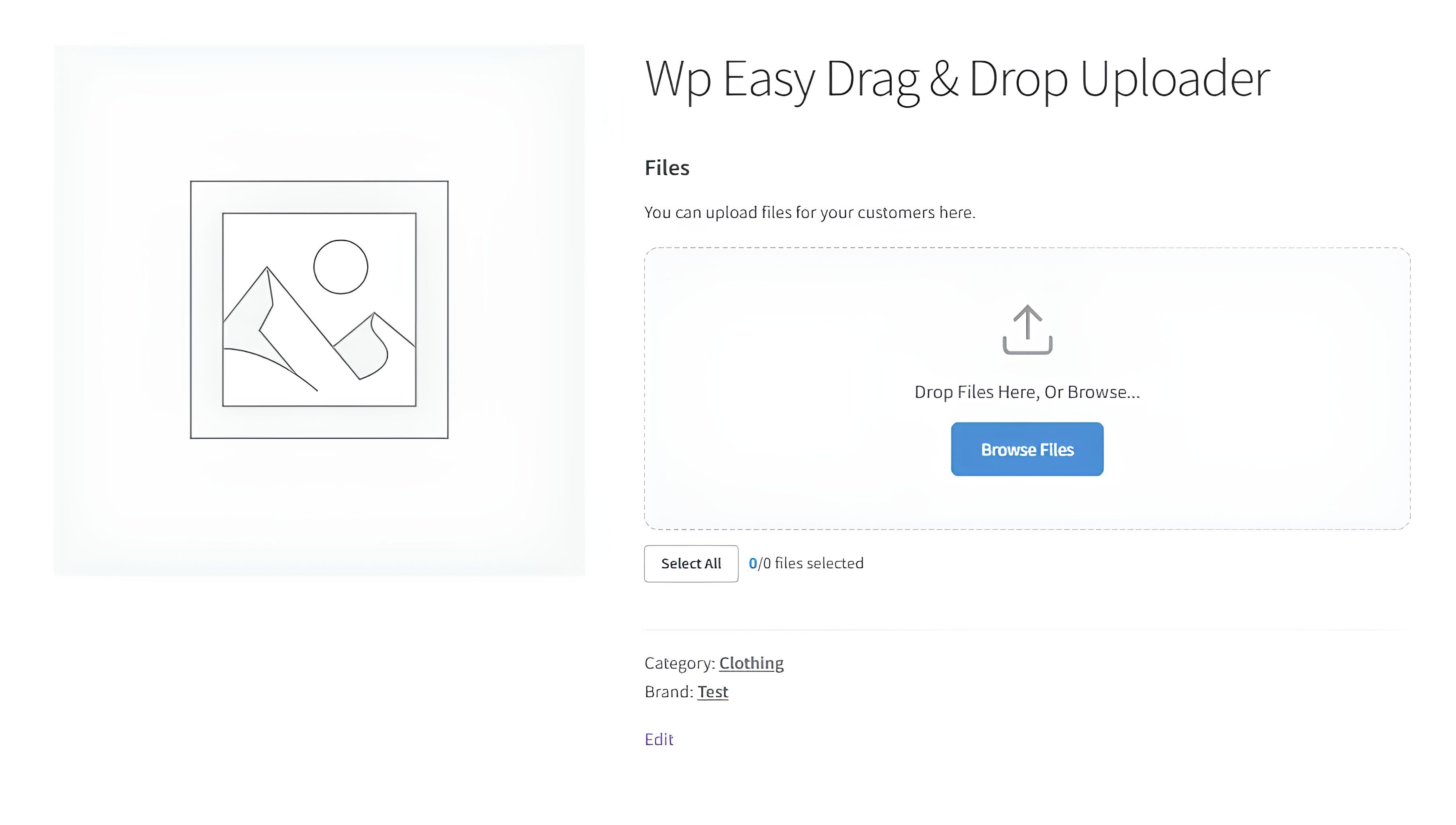
WP Easy Drag & Drop File Uploader lets your WooCommerce customers upload files directly from product pages using a clean drag and drop interface.
It is ideal for stores selling personalized, custom, printable, design, document, artwork, photo, or made-to-order products. Customers can upload one or multiple files before adding a product to the cart, preview uploaded images, select files, remove files, and continue checkout normally.
Uploaded files are attached to cart items and saved with WooCommerce orders. Store admins can view uploaded file previews inside the order screen and download files securely.
Key features:
- Drag and drop upload area on WooCommerce product pages
- Multiple file upload support
- Image previews and file type icons
- Ajax upload with progress indicator
- Select all and deselect all file controls
- Delete uploaded files before adding to cart
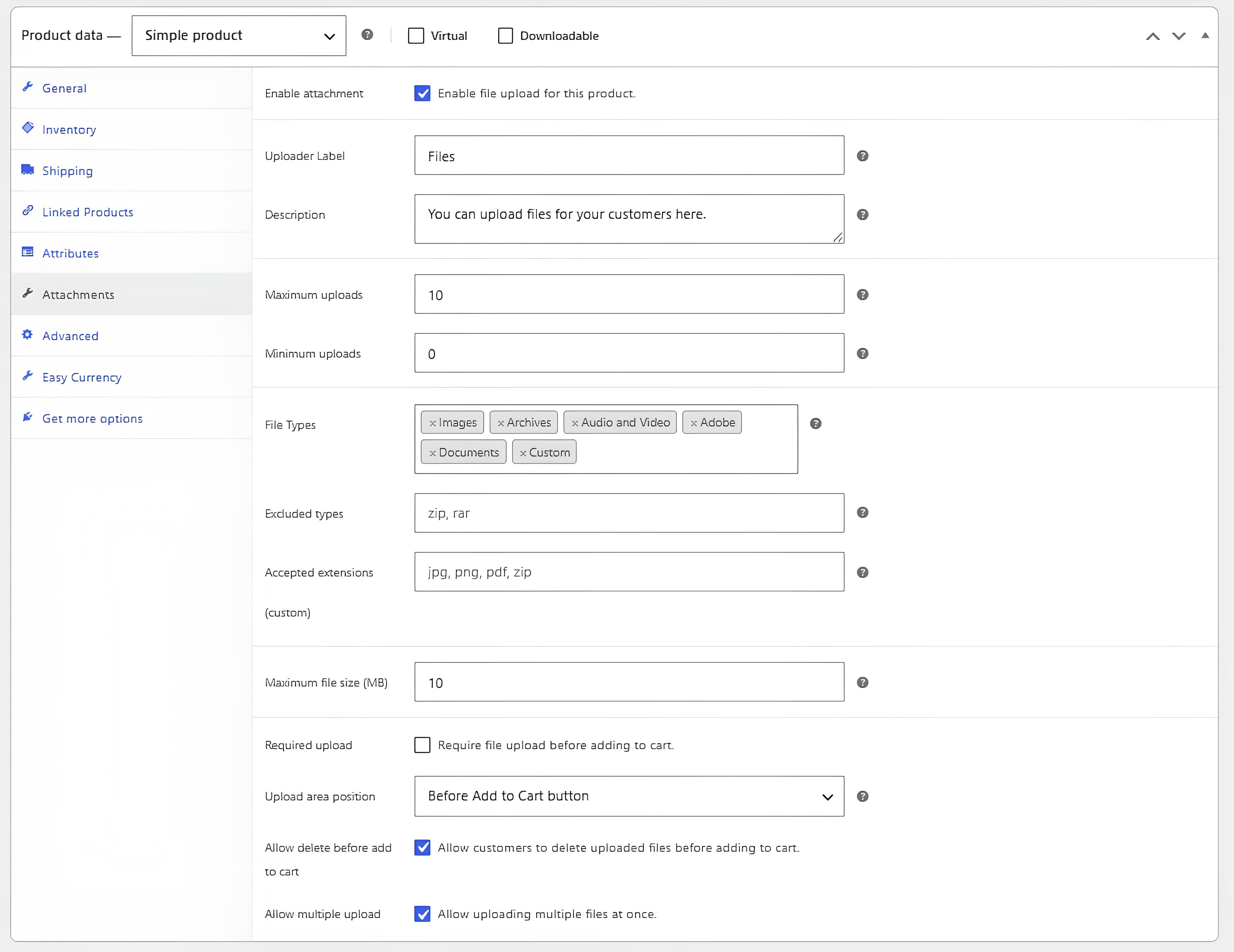
- Product-level upload settings
- Global default settings
- File type and file size restrictions
- Required upload and minimum upload rules
- Cart, checkout, and order integration
- Admin order file preview and secure download
- Optional uploaded file names in order emails
- Auto-delete uploaded files after completed orders
- Protected upload directory
- HPOS compatible
- Translation ready with included language files
- HTML and PDF documentation included
The plugin is built for a simple workflow: enable uploads globally or per product, configure allowed file types and limits, and let customers attach files to their WooCommerce purchases with a polished upload experience.
Features
- Drag and drop file upload for WooCommerce products
- Multiple file upload support
- Ajax upload with live progress bar
- Image previews for uploaded files
- File type icons for non-image files
- Select all / deselect all controls
- Remove uploaded files before adding to cart
- Required upload option
- Minimum and maximum upload limits
- Per-product upload settings
- Global default settings
- Custom allowed file extensions
- Excluded file extensions
- Maximum file size control
- Cart item integration
- Checkout order item integration
- Admin order image preview
- Secure admin file download
- Optional uploaded file names in order emails
- Auto-delete uploaded files after completed orders
- Protected upload directory
- Shortcode support
- HPOS compatible
- Translation ready
- Includes 6 plugin language files
- Includes HTML and PDF documentation
Requirements
- WordPress 6.0 or higher
- WooCommerce 5.0 or higher
- PHP 7.4 or higher
- Writable wp-content/uploads directory
- PHP fileinfo extension recommended for MIME validation
- Modern browser with JavaScript enabled
Instructions
- Upload the plugin ZIP file from Plugins > Add New > Upload Plugin.
- Activate WP Easy Drag & Drop File Uploader.
- Make sure WooCommerce is installed and active.
- Open WP Easy Upload from the WordPress admin menu.
- Configure the global default settings.
- Edit a WooCommerce product.
- Open the Attachments tab in the product data panel.
- Enable file upload for the product and configure file limits, allowed types, and upload position.
- Save the product.
- Visit the product page and test the upload area before publishing.
Other items by this author


| Category | Plugins / WordPress / Forms |
| First release | 2 June 2026 |
| Last update | 2 June 2026 |
| Supported CMS | WooCommerce 5.x, WooCommerce 6.x, WooCommerce 7.x, WooCommerce 8.x, WordPress 6.0, WordPress 6.1, WordPress 6.2, WordPress 6.3, WordPress 6.4, WordPress 6.5, WooCommerce 9.x, WordPress 6.6, WordPress 6.7, WordPress 6.8 |
| Files included | .php, .css, Javascript .js |
| Tags | wordpress plugin, drag and drop, file uploader, file upload, product upload, ajax upload, woocommerce upload, hpos, order upload, image preview, multiple files, upload field, custom product, product attachment, secure download |