OptiImage – React Image Compression AppOptiImage – React Image Compression App
Powerful React image compression tool with smart target size, quality control, and ZIP download.
OptiImage – React Image Compression App
Powerful React image compression tool with smart target size, quality control, and ZIP download.
Screenshots
Overview
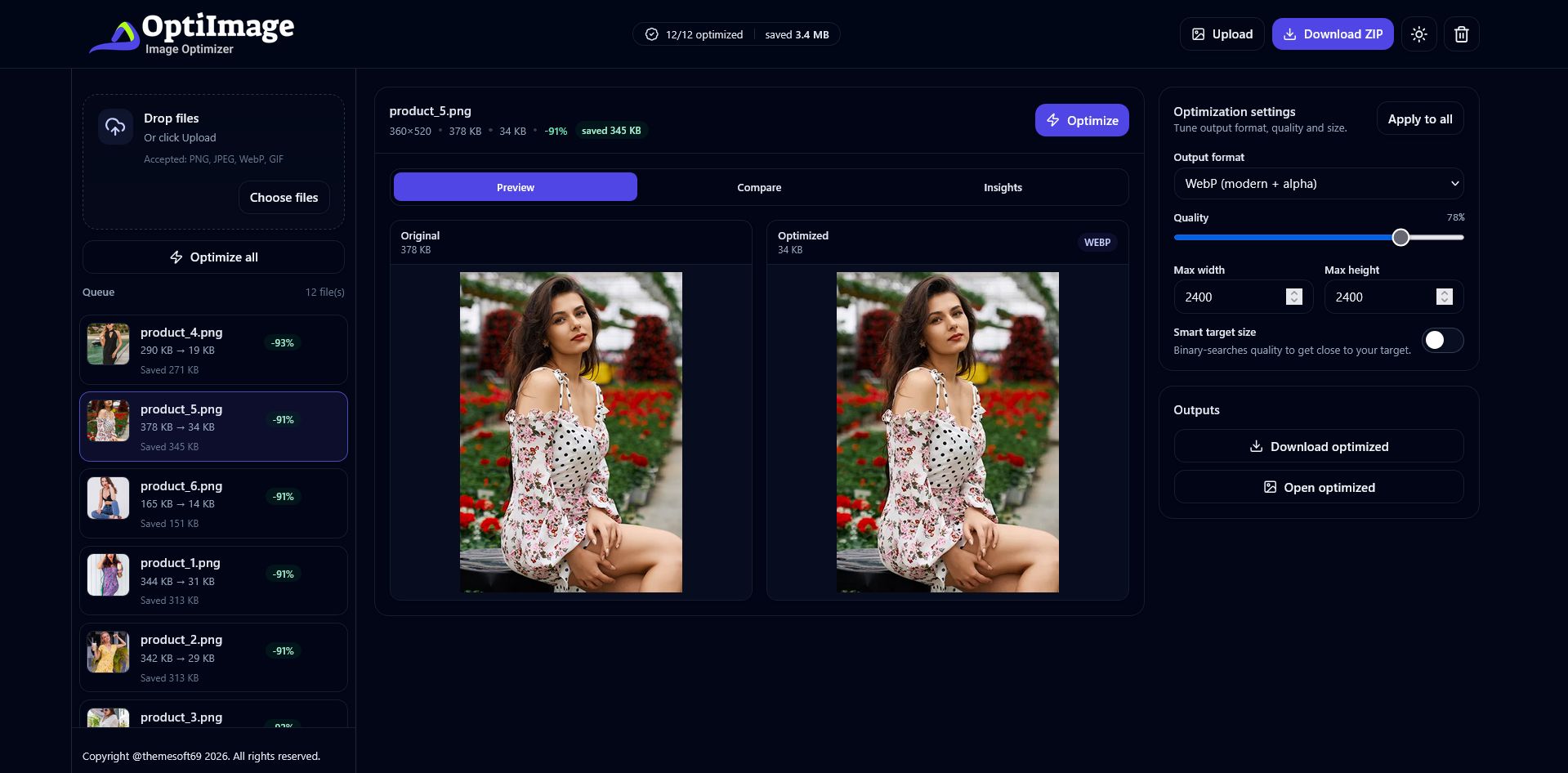
OptiImage is a modern and powerful image compression and optimization application built with React, Vite, TypeScript, and Tailwind CSS. It allows users to easily upload images, optimize them in bulk, and fine-tune output quality, format, and file size directly in the browser.
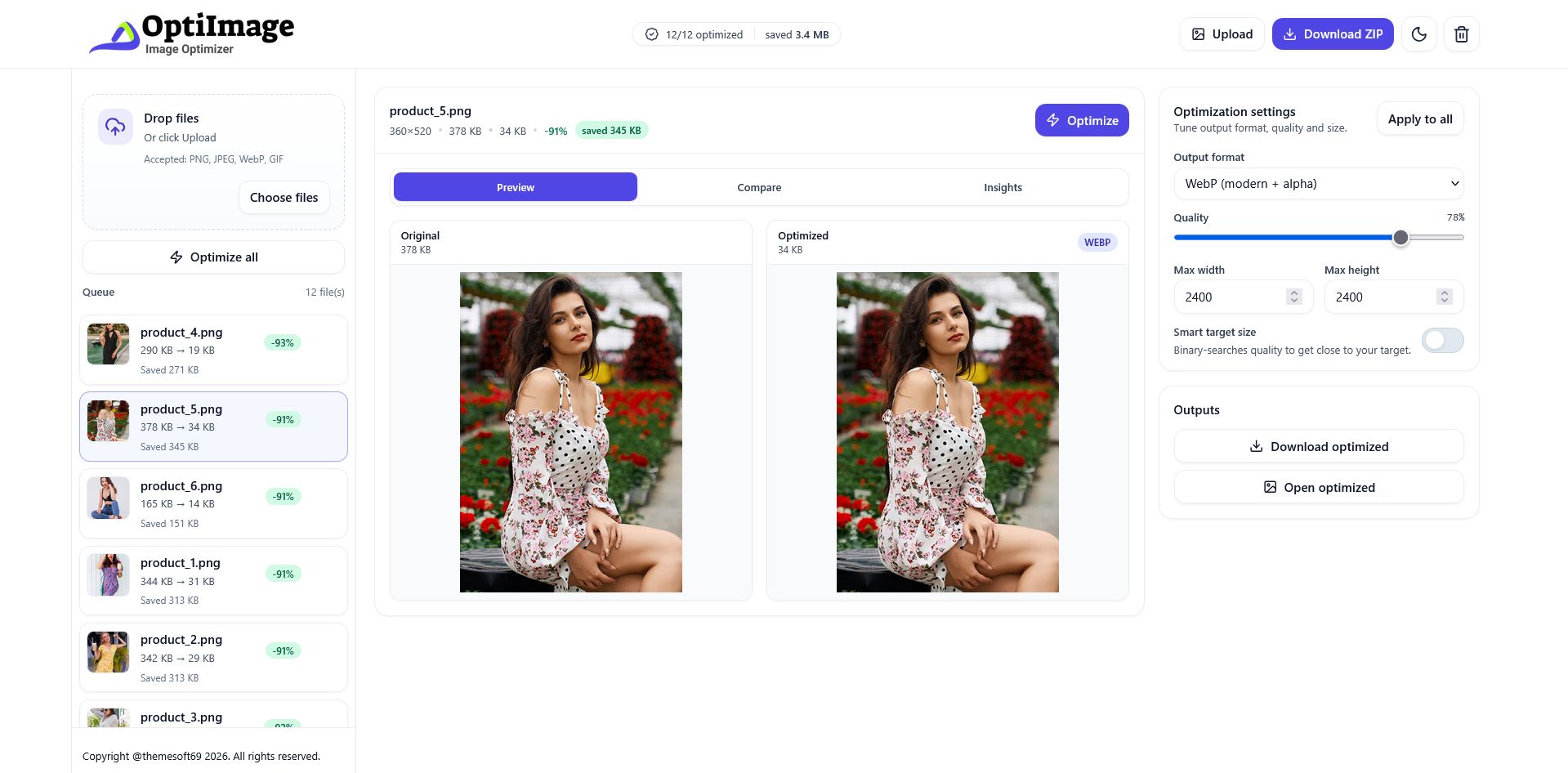
The application features drag-and-drop uploads, real-time preview, before-and-after comparison, and detailed optimization insights to help users understand size reduction and quality changes. Smart target size optimization uses quality search to achieve the desired output size, with support for switching between JPEG and WebP formats.
OptiImage is fully responsive, includes dark and light mode, and runs entirely on the frontend without requiring any backend services. It is suitable for developers, content creators, and businesses who need a fast, clean, and customizable image optimization solution.
Features
Features
- Drag & drop image upload
- Bulk image optimization
- Real-time image preview
- Before & after image comparison
- Optimization insights (file size, reduction details)
- Adjustable compression quality
- Smart target size optimization using quality search
- Output format selection (JPEG / WebP)
- Download optimized images as a ZIP
- Clear all images with one click
- Dark and light mode support
- Fully responsive design
- Runs entirely on the frontend (no backend required)
- Built with React, Vite, TypeScript, and Tailwind CSS
- Clean, well-structured, and easy-to-customize code
Requirements
Requirements
- Node.js v16 or higher
- npm, yarn, or pnpm package manager
- Basic knowledge of React and TypeScript
- Modern web browser (Chrome, Firefox, Edge, Safari)
- Code editor (VS Code recommended)
- Local or hosted web environment
Instructions
Instructions
- Download the project files and extract the package.
- Open the project folder in your code editor.
-
Install the required dependencies using one of the following commands:
-
npm install -
yarn install
-
-
Start the development server by running:
-
npm run dev
-
- Open the local URL shown in the terminal to use the application.
-
To create a production build, run:
-
npm run build
-
- The optimized production files will be generated in the dist folder.
- Upload the contents of the dist folder to your hosting server if needed.
- Customize the source code, styles, and settings as required.
Other items by this author





| Category | Scripts & Code / ReactJS |
| First release | 30 January 2026 |
| Last update | 30 January 2026 |
| Software framework | React |
| Files included | .css, .html, Javascript .js |
| JavaScript Framework | Node.js |
| Tags | typescript, image converter, jpeg, tailwind css, vite, webp, image compression, image tool, image optimizer, react app, frontend app, react image |